Zscaler 블로그
Zscaler 블로그의 최신 업데이트를 이메일로 받아보세요
eBPFmon: A new tool for exploring and interacting with eBPF applications

eBPFmon is an open source TUI application that helps users intuitively understand, analyze, and explore eBPF programs running on a system.
This article was originally published by Red Canary, which is now part of Zscaler.
eBPF (extended Berkeley Packet Filter) is a rapidly growing technology that is shaping networking, security, observability, and many other areas in the Linux ecosystem. There has traditionally been a high learning curve to understand, analyze, debug, and develop eBPF applications, which is why we’re releasing eBPFmon to the public. eBPFmon is a simple terminal user interface (TUI) application that harnesses the power of bpftool to present a simple-to-use interface for examining and interacting with eBPF programs.
First of all, what is eBPF?
eBPF is an extension of the original Berkeley Packet Filter (BPF) design, which was a very simplistic construct used for network filtering. eBPF has grown far beyond its roots in BPF and can now be used to extend the behavior and functionality of the Linux kernel at runtime. eBPF programs are used in numerous applications, such as advanced programmable networking, security, observability, introspection and more.
For a more in-depth explanation, read our earlier blog that discusses the architecture of eBPF programs. You can also check out ebpf.io.
Making bpftool simpler to use
The primary tool for examining eBPF applications running on a Linux operating system is bpftool, which is packaged with the Linux kernel. It enables users to attach and detach programs, view the disassembly of a running program, enumerate maps and their key/value pairs, view BTF information, and much more. It’s a powerful tool that eBPFmon can make even more powerful. eBPFmon leverages bpftool to gather information about the currently running eBPF programs and their associated resources. It then enriches and displays that information in a user-friendly UI.
Before we dive into eBPFmon, let’s break down how to use bpftool to view some information about an eBPF program and then see how eBPFmon provides even more value.
I’ll be using an eBPF program that was created via the libbpf-bootstrap GitHub repo. For instructions on how to generate the eBPF program, see their documentation.
For starters, let’s see how we can view the currently running eBPF programs on a system. To do this, we run the following command:
$ sudo bpftool prog
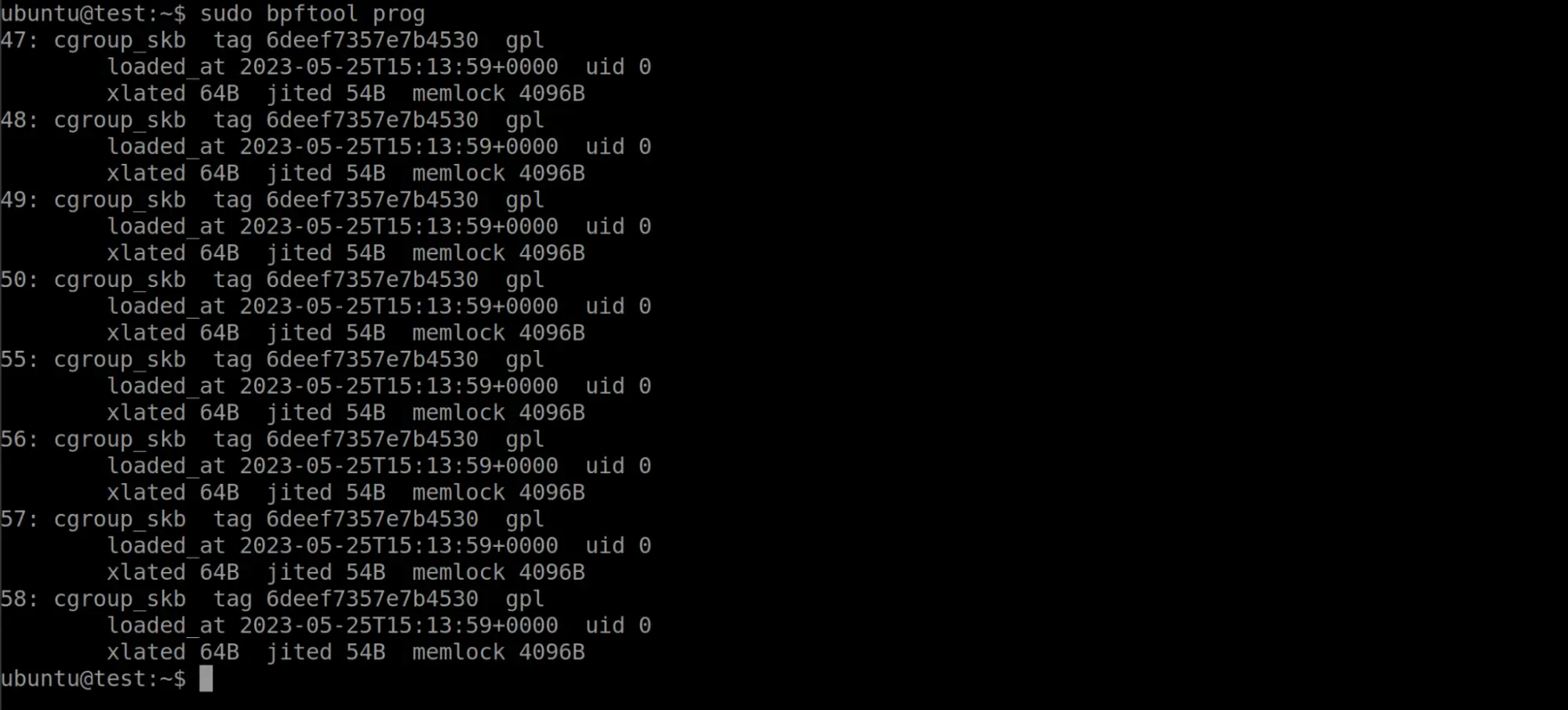
The picture above shows a number of programs that are currently running. This machine was running Ubuntu 20.04, which includes a few eBPF programs that the system is running by default. Lets go ahead and load the
bootstrapbinary from
libbpf-bootstrapand see what new programs appear:
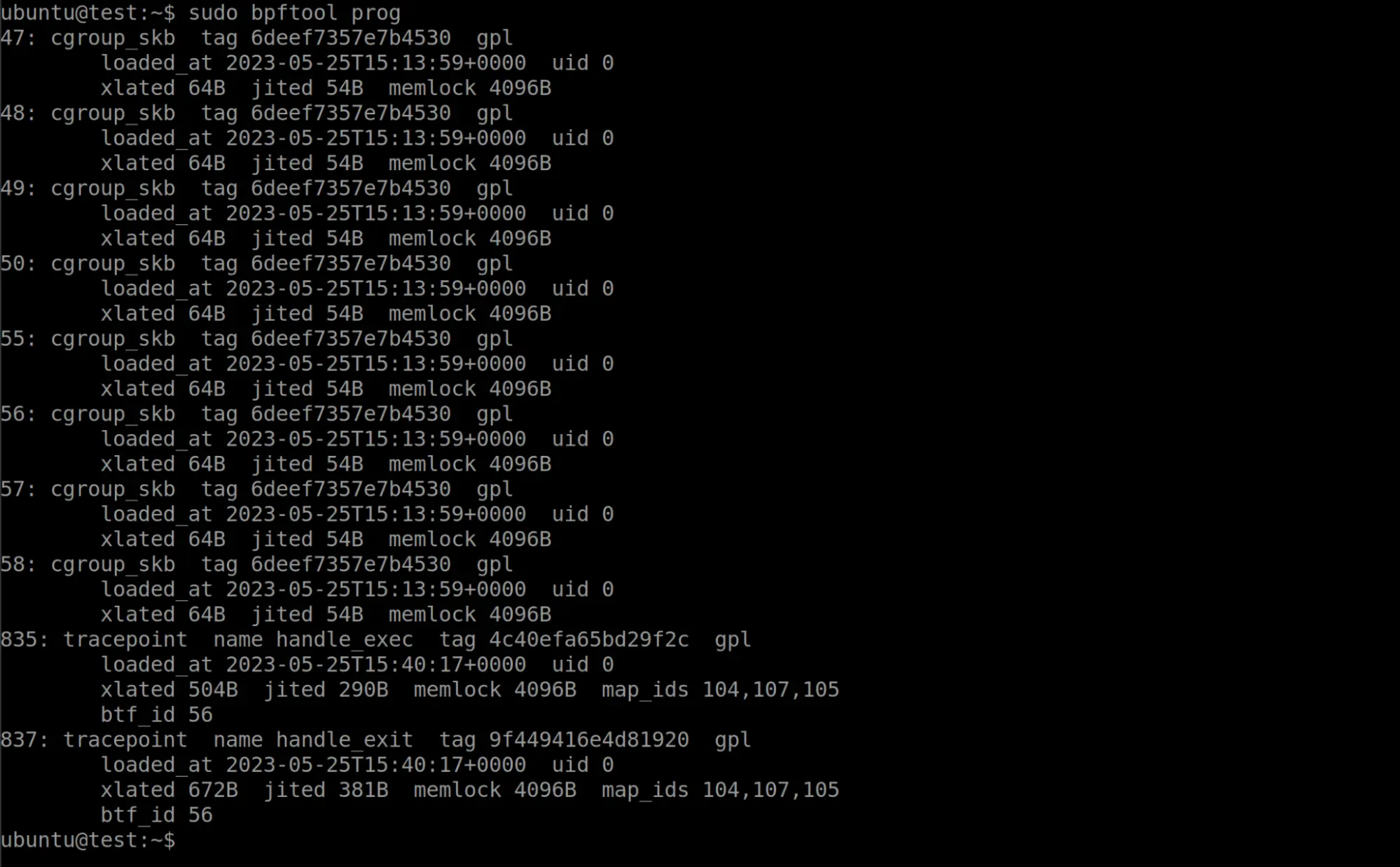
We can now see two new eBPF programs attached to tracepoints, with IDs 835 and 837. Bpftool gives us some interesting metadata about these programs such as when they were loaded, what maps they are using, the size of the program, and more.
If we want to view the program itself, bpftool can help us with that. The following command will dump the disassembly of the program and any debug information if it is available.
$ sudo bpftool prog dump xlated id 835
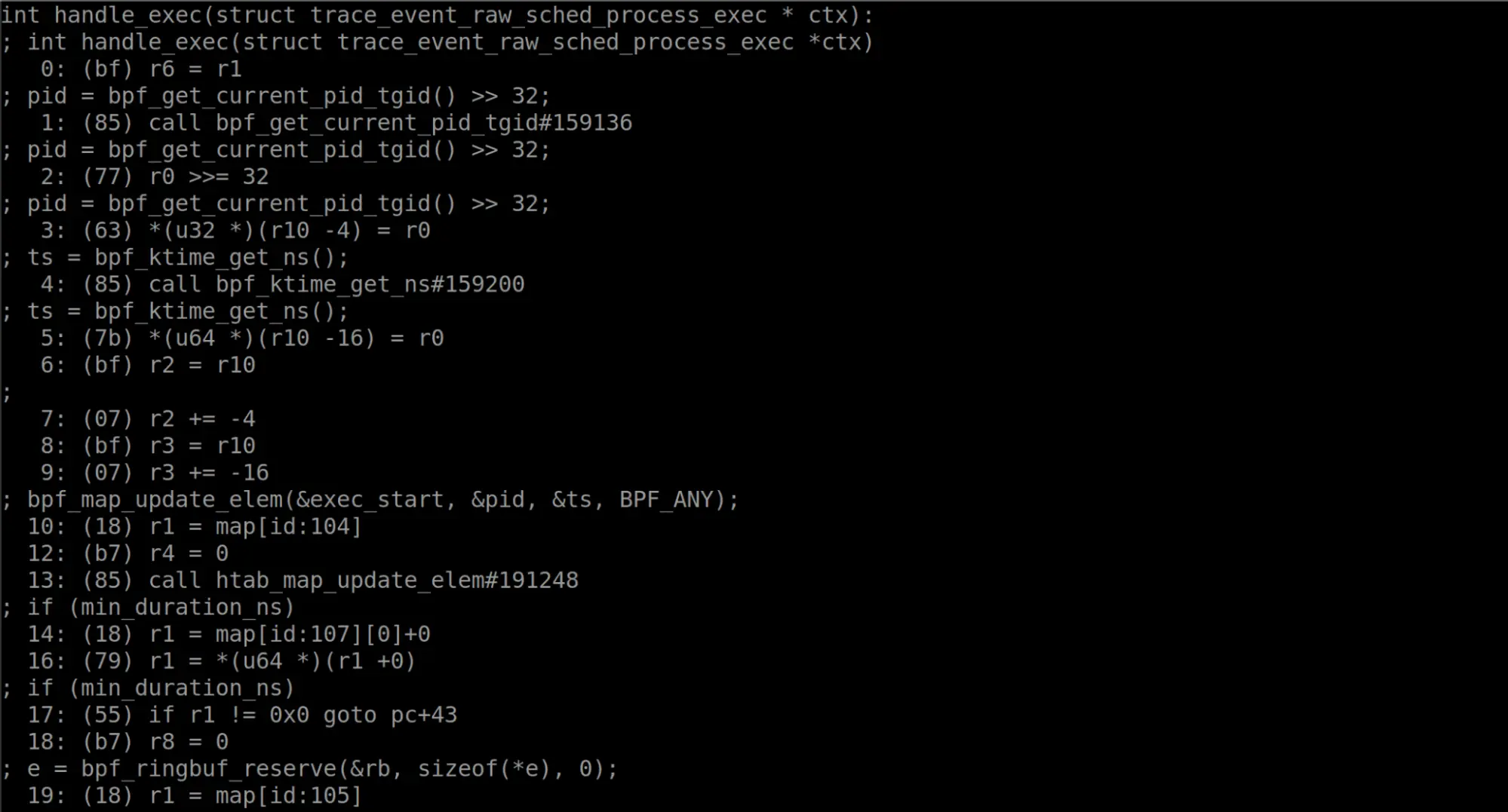
The output was fairly long, so we left some out for brevity. But now the disassembly and the source code are present in this view. This is an amazing feature!
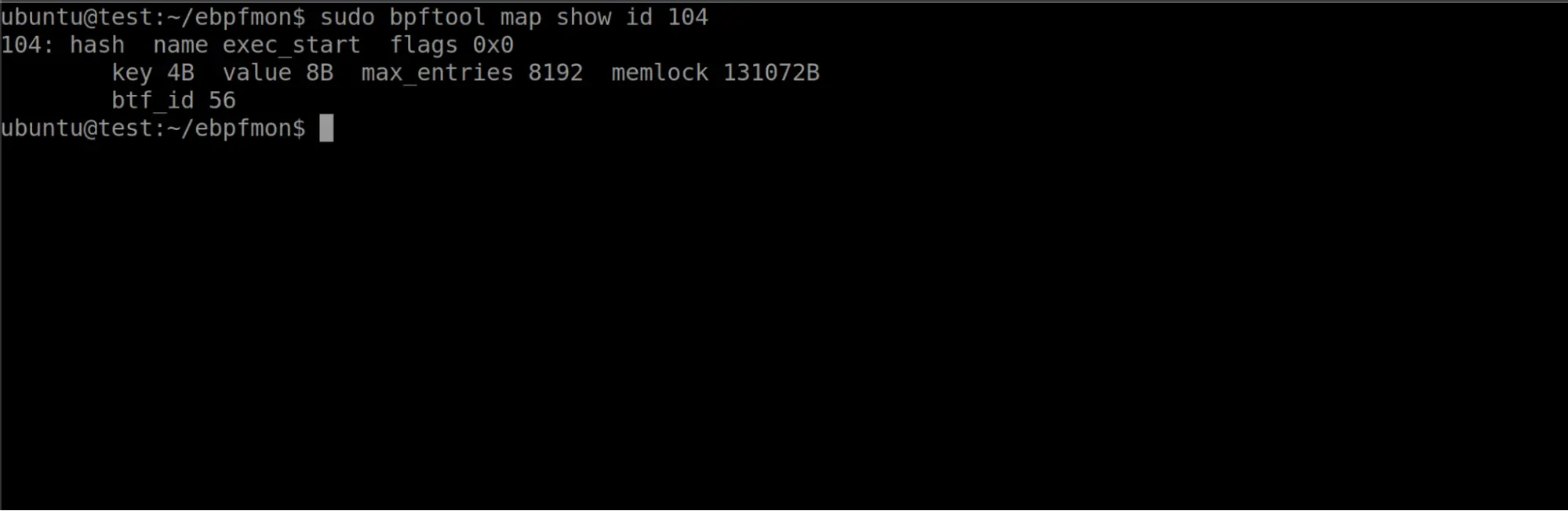
Notice that the disassembly references some maps. We also saw in the program listing output from bpftool that these programs were also using maps. As maps are often critical to the proper function and execution of an eBPF program, let’s see how we could determine the type of the map and what values it contains. We know one of the map’s ID is 104, and can use bpftool to get more information.
$ sudo bpftool map show id 104
$ sudo bpftool map dump id 104
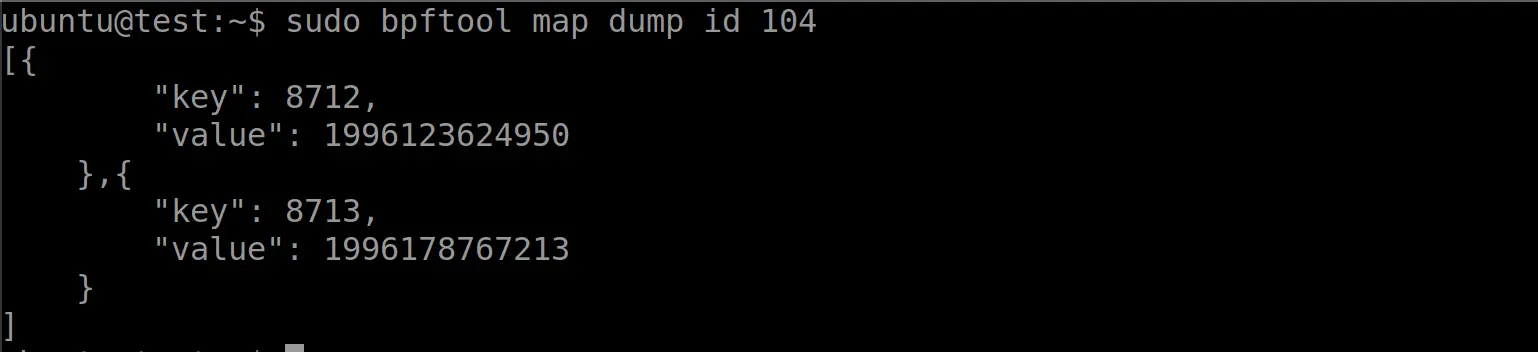
Bpftool allows us to retrieve metadata about the map and display its contents as well. Bpftool is very helpful in finding information about eBPF programs and maps. Well, what if I told you we could supercharge bpftool? This is exactly what eBPFmon is designed to do.
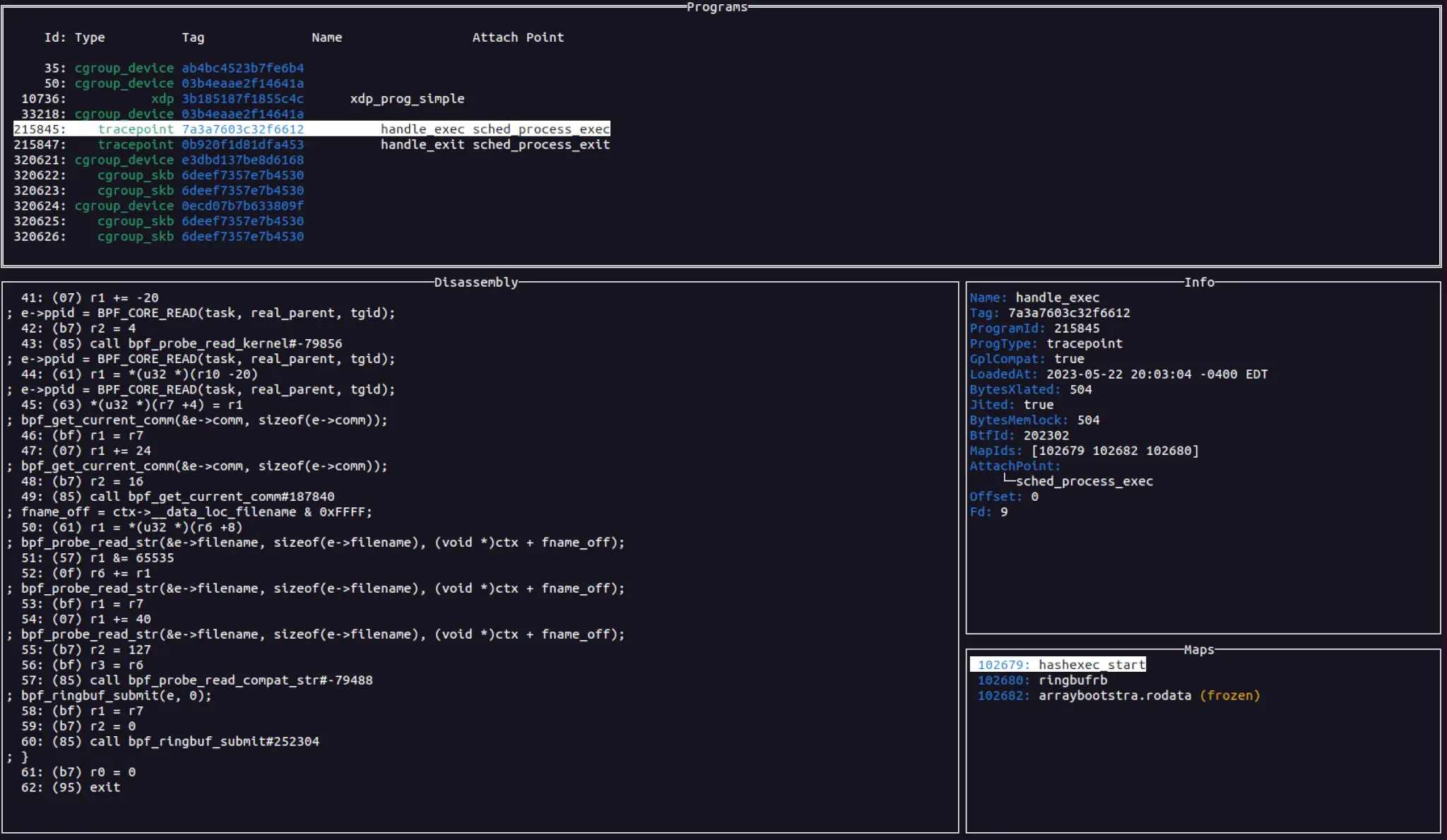
The image below shows eBPFmon displaying each of the currently loaded eBPF programs. It simultaneously shows you the disassembly, the metadata that bpftool provided, the maps that the program uses, and any other information that it is able to get from the system, such as process information. This combines multiple bpftool commands together into a unified view, making exploration of eBPF programs much faster and simpler. eBPFmon also takes information from other commands such as bpftool perf or bpftool net to retrieve additional information like attach points or network interfaces. And we have only just scratched the surface.
You can see a simple video demonstration of eBPFmon in the following video:

Features
eBPFmon is packed full of useful features to make the exploration, debugging, and analysis of eBPF programs easier. And this will continue to evolve over time as more features are added to bpftool.
Program view
As highlighted earlier, eBPFmon can actively monitor systems for eBPF programs. It will constantly check the system for the addition or removal of programs and update the UI appropriately. The program view allows you to view the disassembly along with a program’s metadata, mapping it all in a single window.
Map view
From the program view, you can select a map to display its contents. An eBPF map is made up of key-value pairs. Depending on the map type, there may be restrictions on what the key-value pairs can be and their size. eBPFmon allows you to format the data in a variety of ways, such as hex, decimal, char, or raw. It also allows you to view those values in different bit widths and endian formats.
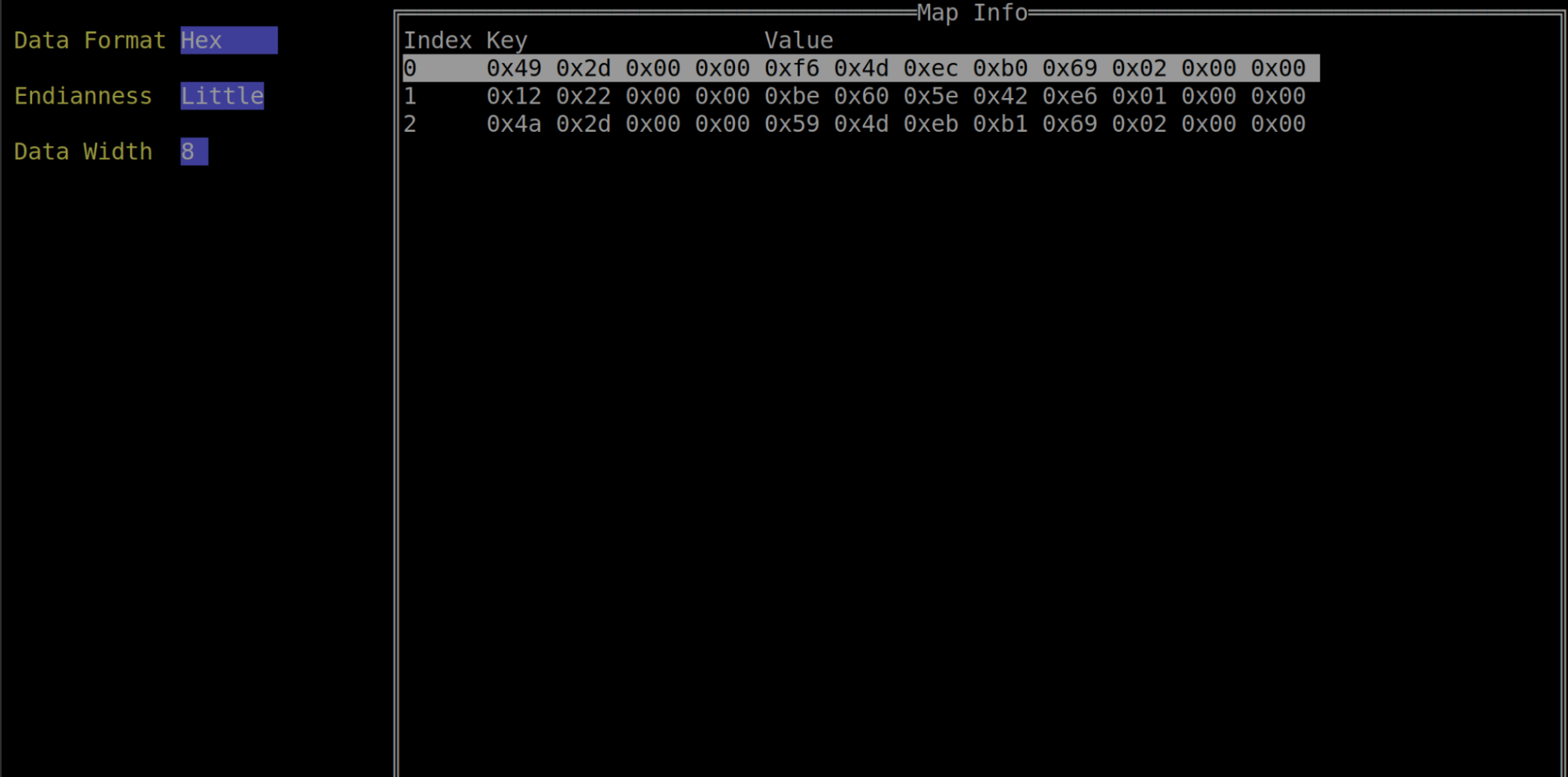
eBPFmon also allows you to delete entries in the map and edit the key-value pairs. This ability provides users a great deal of power and flexibility when analyzing eBPF programs. Oftentimes maps will provide critical information to a program or even affect the execution flow. For developers building eBPF programs from scratch, the ability to easily edit map values is invaluable for testing and debugging.
Feature view
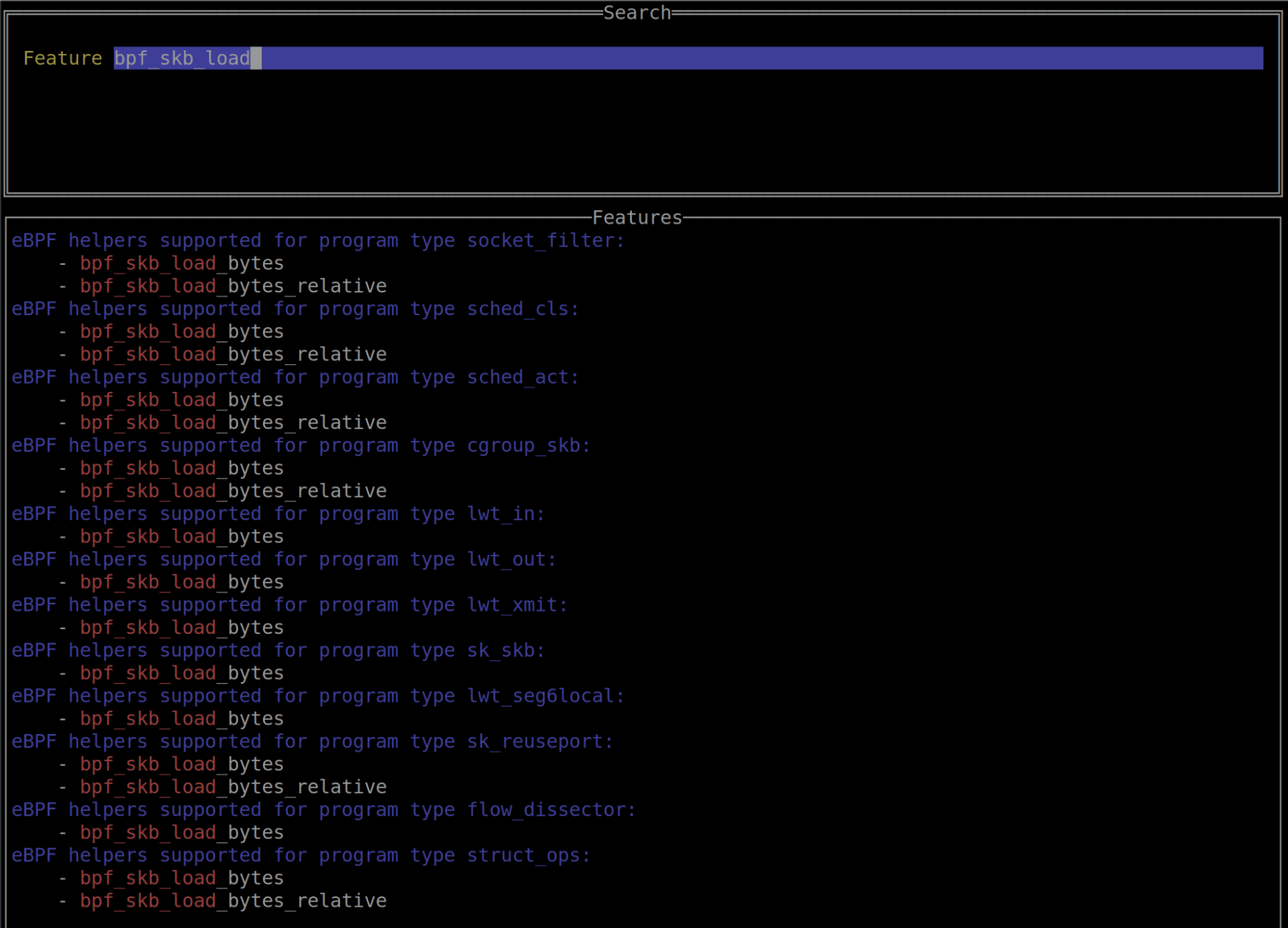
bpftool’s bpftool feature command allows you to query the system about which eBPF features are present. eBPFmon makes this data easily searchable by providing a simple input field that will then do some simple substring matching on the data output from the bpftool feature command.
More to come
bpftool is a continually evolving tool, and eBPFmon will follow suit. It is my hope to continue to develop eBPFmon and add new features as they become available in bpftool. eBPF is an incredibly powerful technology that is reshaping the Linux world (and soon the Windows world as well). We want to help seasoned eBPF developers and new eBPF developers alike be able to more effectively develop, debug, analyze, and understand eBPF programs.
See for yourself

이 게시물이 도움이 되었나요?


면책 조항: 이 블로그 게시물은 정보 제공만을 목적으로 Zscaler에서 작성하였으며, 정확성, 완전성 또는 신뢰성에 대한 어떠한 보증도 없이 "있는 그대로" 제공됩니다. Zscaler는 제공된 정보를 기반으로 수행된 조치나 오류 또는 누락에 대해 어떠한 책임도 지지 않습니다. 이 블로그 게시물에 링크된 제3자 웹사이트나 리소스는 편의를 위해서만 제공되며, Zscaler는 해당 웹사이트의 콘텐츠나 관행에 대해 책임을 지지 않습니다. 모든 콘텐츠는 예고 없이 변경될 수 있습니다. 이 블로그에 접속함으로써 귀하는 본 약관에 동의하며 귀하의 필요에 따라 정보를 확인하고 사용할 전적인 책임이 귀하에게 있음을 인정합니다.

