You may want to open the first blog post we did on
Fake AV in December 2009, three years ago, side by side with this post. See if you can spot the differences... fake antivirus pages in 2012 are nearly the same as they were three years ago and most AV solutions still fail to block them.
Fake AV page
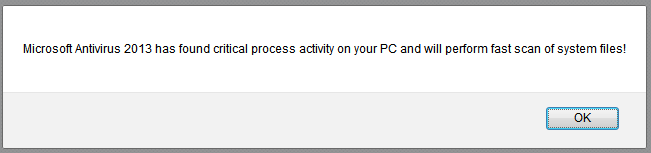
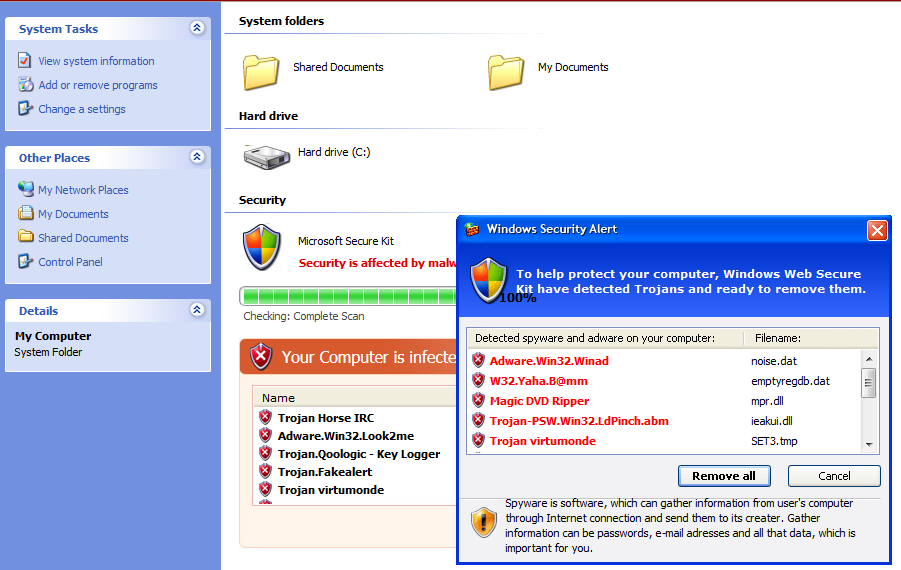
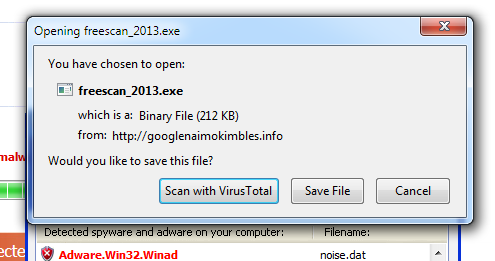
The pages we're seeing look exactly the same as they did three years ago. First, a popup alerts the user that their machine is likely infected. Then, an animated page fakes an antivirus engine scanning the user machine. Malware is of course 'found' and a download window opens, which prompts the user to download "free antivirus" to clean up the computer.
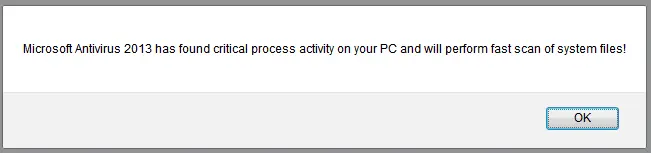 |
| Warning popup |
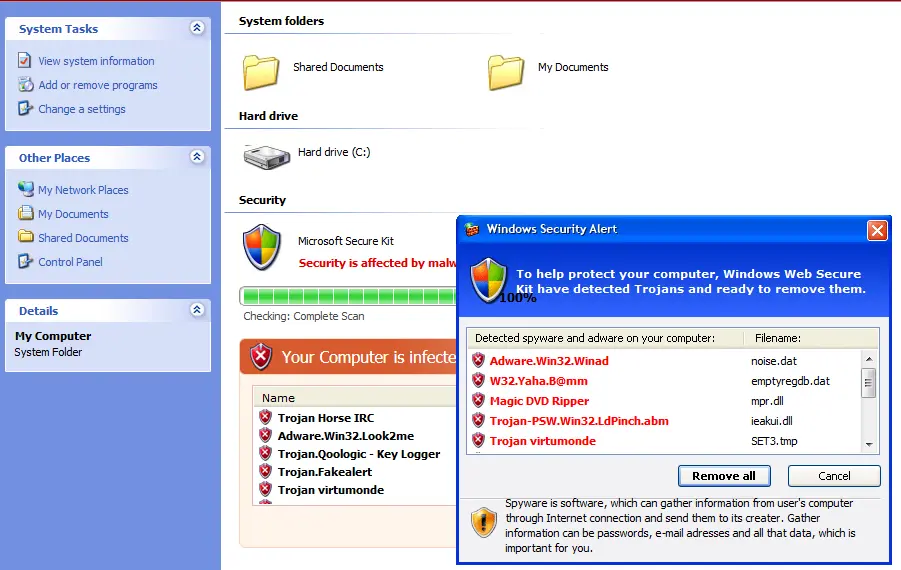 |
| Fake scanning of the PC |
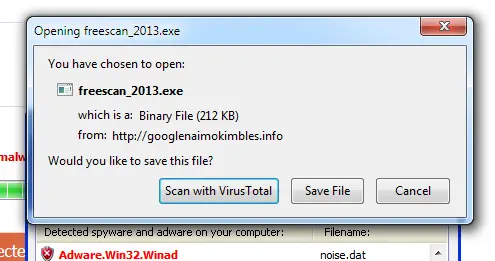 |
| Malicious executable disguised as an antivirus |
The HTML source does not use any obfuscation technique, which was also true for the fake AV pages we saw three years ago (HTML and JavaScript obfuscation did show up for a time in 2010 and 2011). The only difference might be in the page title:
Microsoft Antivirus 2013.
Antivirus failing again
Like three years ago, the detection rate remains very low. This time around, in the sample we investigated, only
12 AV out of 43 detect the executable as malicious. Windows Security Essentials, which I run on my PC, failed to block the download. It would appear that switching from AVG to Windows Security did not protect me against the new Fake AV executables...
On the bright side, both Internet Explorer (Smart Screen Filters) and Google Safe Browsing blocked this page.
Domains
We have seen a lot of fake AV domains lately. This particular fake AV campaign is very similar to a previous one we described in
March 2011. Affiliates direct users toward the fake AV pages. The URLs contain an affiliate ID to track the referrals to ensure that the fake AV author can then compensate those forwarding victims. Here are a few of the fake AV URLs we have seen recently:
- hxxp://googlenaimokimbles.info/?affid=00333&promo_type=4&promo_opt=1
- hxxp://innersdomainsinser.net/?affid=00333&promo_type=4&promo_opt=1
- hxxp://domainssinglsdoms.net/?affid=00333&promo_type=4&promo_opt=1
- hxxp://moneushousessteam.net/?affid=00333&promo_type=4&promo_opt=1
- hxxp://steamsinglemonthf.net/?affid=00333&promo_type=4&promo_opt=1
- hxxp://domainddincowsrows.info/?affid=00333&promo_type=4&promo_opt=1
It appears that affiliate 00333 is very good at redirecting users, but we did see other IDs: 00401, 00399
Fake AV in action
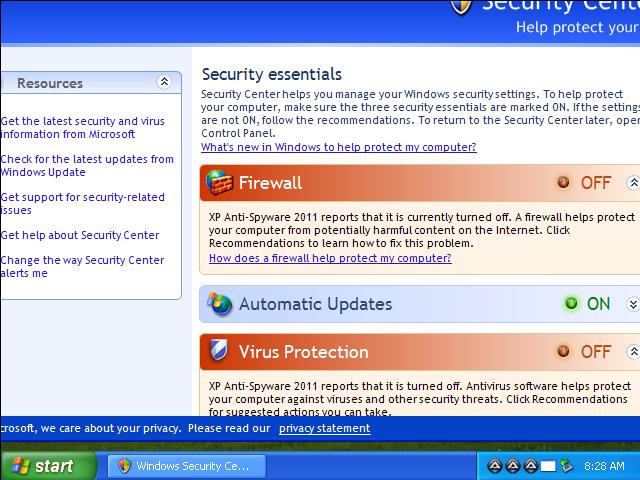
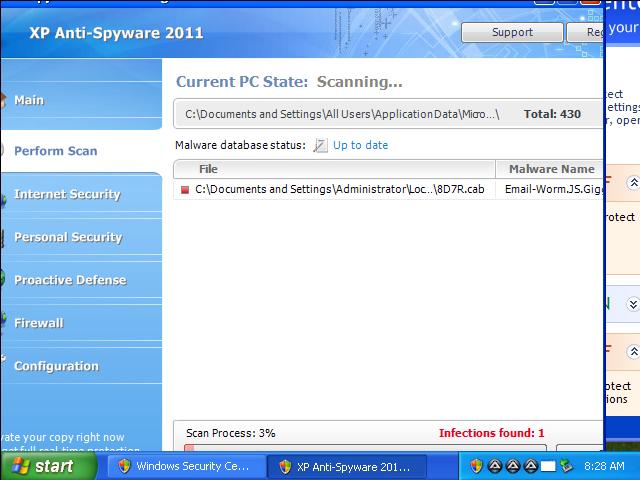
Here are a couple of screenshots of the Fake AV executable in action. It does actually register itself as an antivirus solution on a Windows PC. You will notice that they have not bothered updating their software as it sill shows up as
XP Anti-SPyware 2011.
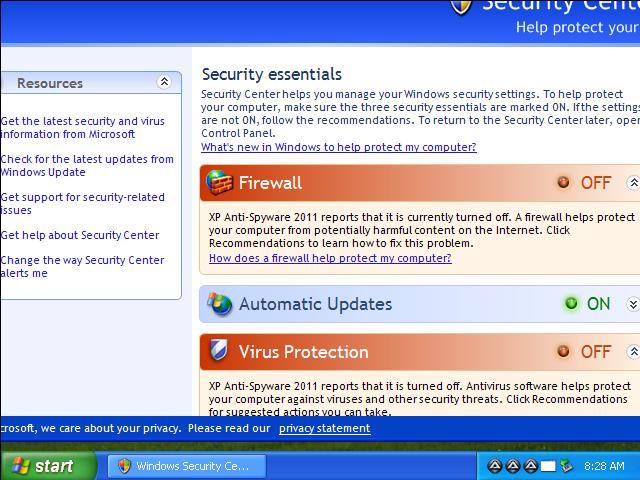 |
| XP Antivirus 2011 installed as a legitimate AV |
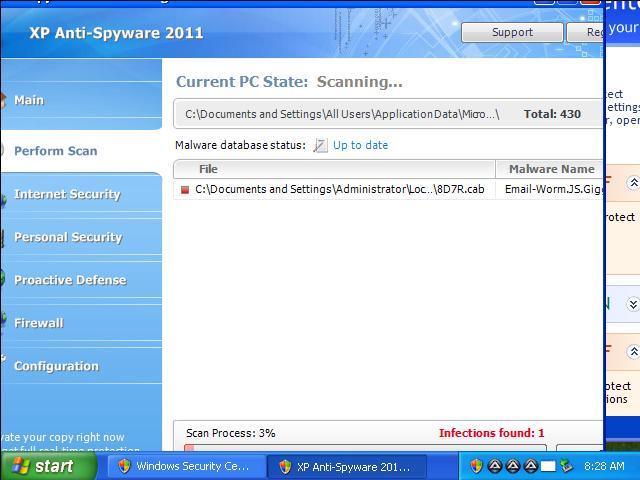 |
| Fake AV finds viruses in files that do not exist |
The malicious AV program seems to have been written by Russian hackers.
Upon installation, it disable the Firewall and existing AV solutions, disables AV updates, disables security warnings and sets itself as the default AV solution. It also deletes the installer (
freescan_2013.exe).
It downloads and runs the file
hxxp://googlesearchnaimokimbles.net/data.exe. This domain is blocked by Google Safe Browsing, but the executable is blocked by only
9 of 46 AV engines.
A malicious executable,
bap.exe, is added to the file system and it is registered to execute any
.exe file. The same file is also used to execute Internet Explorer: Instead of running
C:\Program Files\Internet Explorer\iexplore.exe, it runs
bap.exe -a "C:\Program Files\Internet Explorer\iexplore.exe". It wraps any executable run by the user.
The Fake AV program then connects back to
109.206.174.62. This IP hosts several suspicious domains including:
- avit2013.com
- str321.com
- supporr2013.com
These Fake AV pages are also the same as they were three years ago. They probably don't need to change as long as very few antivirus vendors block them and as long as users keep trusting random warnings on the Internet. Once the user is infected, the Fake AV takes over the system and it is very hard to clean up.