
In the rapidly evolving landscape of corporate IT, where time is of the essence and optimal performance is of utmost importance, the position of an IT help desk agent is both demanding and vital. Let's introduce Alex, a well-known expert in this field. He recently was at the center of a big system failure during the peak of business operations. In this account, we will delve into Alex's systematic approach to troubleshooting and the tools he utilizes. Furthermore, we will explore the potential benefits of incorporating Zscaler Digital Experience (ZDX) Copilot into his repertoire, ultimately enhancing his ability to resolve such crises with unparalleled efficiency.
As the clock strikes 10 AM, the office is buzzing with activity. Employees are deeply engrossed in their tasks when suddenly, the hum of productivity is shattered by a critical system outage. Phones start ringing incessantly, emails flood in, and the pressure mounts as the entire office grinds to a halt. Amidst the chaos, Alex remains a pillar of calm, ready to tackle the challenge head-on.
Step 1: Initial Assessment
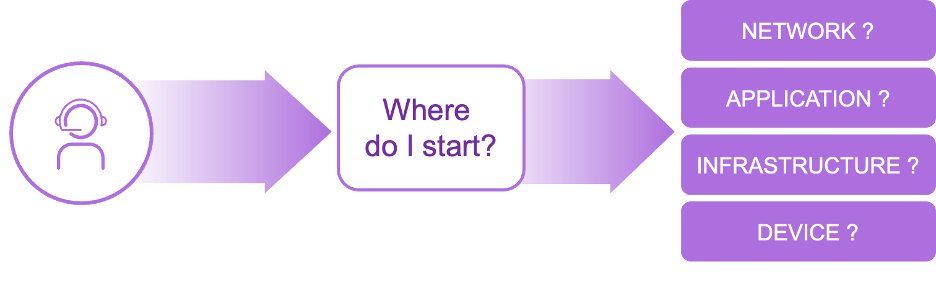
Alex knows that the key to resolving such crises lies in a structured approach to troubleshooting. He begins by gathering as much information as possible from the frantic users. "What were you working on when the system went down?" he inquires, jotting down notes that might hold the key to a swift resolution. This initial assessment helps Alex understand the scope and nature of the outage, setting the stage for the next steps.
Step 2: Device Troubleshooting
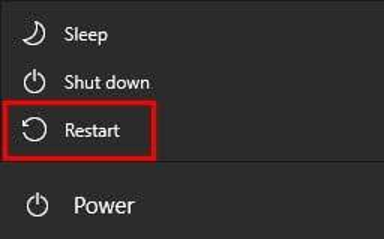
With the information gathered, Alex starts with the basics. He checks device connectivity and suggests a simple restart—a step that often resolves many transient issues. For more complex problems, he uses diagnostic tools like Event Viewer on Windows or Console on Mac to identify system errors. However, this time, the problem runs deeper, and Alex must delve further.
Step 3: Network Troubleshooting
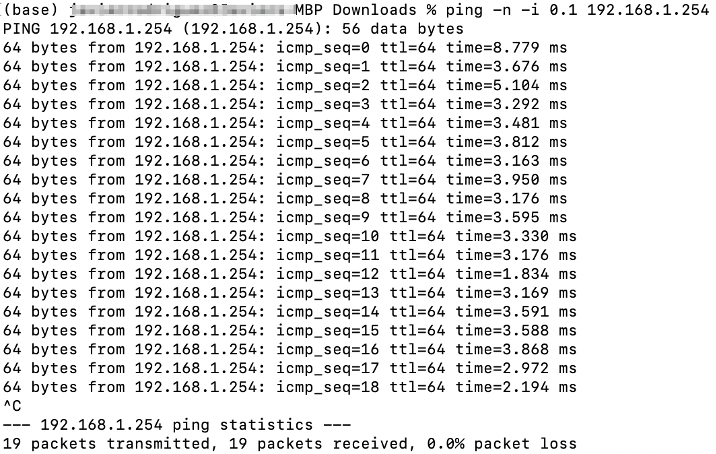
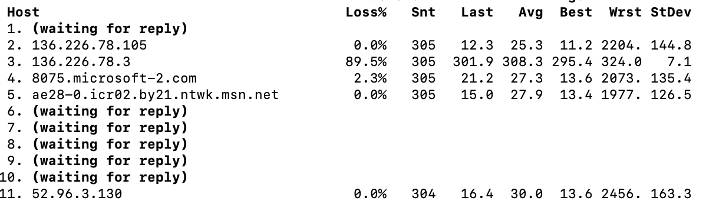
Undeterred, Alex turns his attention to the network. He conducts ping tests and traceroutes to identify any connectivity bottlenecks. His fingers dance across the keyboard as he adjusts firewall and proxy settings, ensuring nothing is blocking network access. The clock is ticking, but Alex remains focused, methodically working through each potential issue.
Test from device to Wi-Fi router:
Traceroute from device to application:
Step 4: SaaS Application Troubleshooting
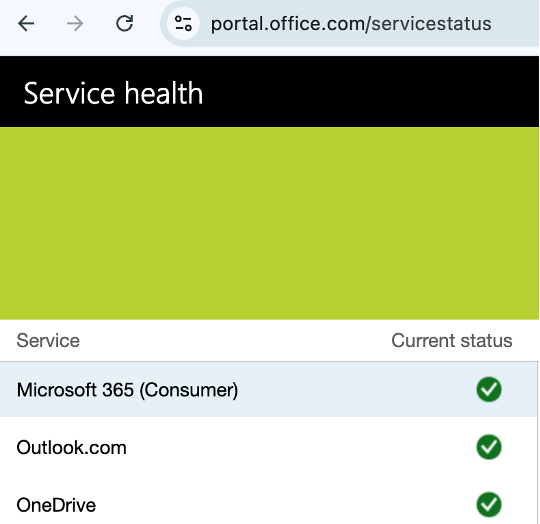
Next, Alex checks the status pages of SaaS applications for any service-wide outages. He guides users through clearing their browser cache and cookies and testing applications in Incognito Mode to rule out browser-related issues. This step is crucial in ensuring that the problem is not related to external service providers.
Step 5: Advanced Troubleshooting
If the initial steps don't resolve the issue, Alex switches networks or tests the application on another device or account to determine if the problem is network-specific or device-specific. This advanced troubleshooting helps narrow down the root cause of the outage.
Step 6: Documentation and Escalation
As Alex works through the troubleshooting process, he meticulously documents all steps taken. This documentation is vital for future reference and helps in identifying patterns or recurring issues. If the issue persists despite his best efforts, Alex escalates it using a ticketing system for further support, ensuring that the problem is addressed at the appropriate level.
In terms of Mean Time to Resolution (MTTR):
- Simple issues are usually resolved within 15–30 minutes
- Moderate issues 1–4 hours
- Complex or multi-system issues 4–24 hours or more, especially if vendor support is involved
Drastically Reduce MTTR with Zscaler Copilot
By using Zscaler Copilot, Alex would have significantly reduced troubleshooting time during the system outage. Zscaler Digital Experience is a complete monitoring solution that gives you complete control and near real-time alerts. This lets you quickly find the cause of problems, whether they are a network, device, or SaaS application issue. Its advanced features provide detailed insights and notifications, facilitating expedited and precise issue resolution. In comparison to traditional manual troubleshooting methods, Copilot would have allowed for swift problem resolution within minutes, rather than hours. By leveraging this tool, valuable time would have been saved, mitigating the impact of the outage on office productivity.
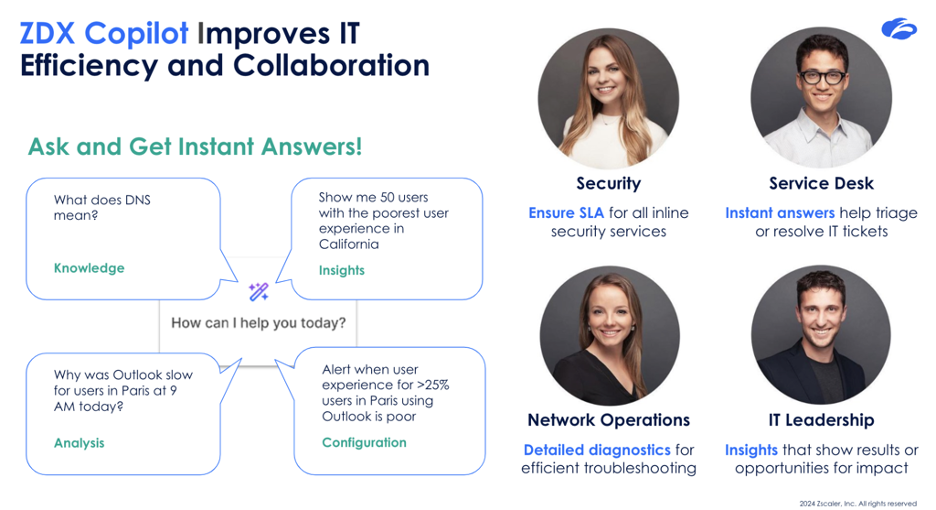
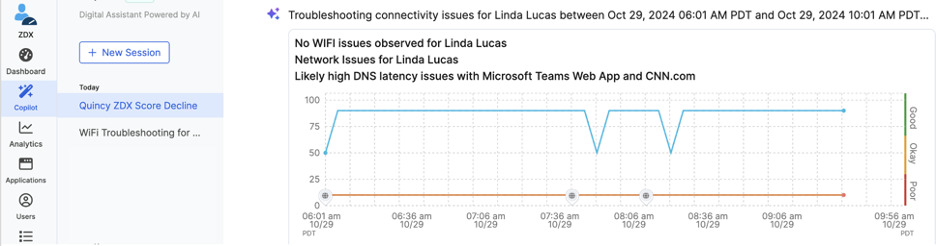
ZDX Copilot identifies root cause through natural language interactions:
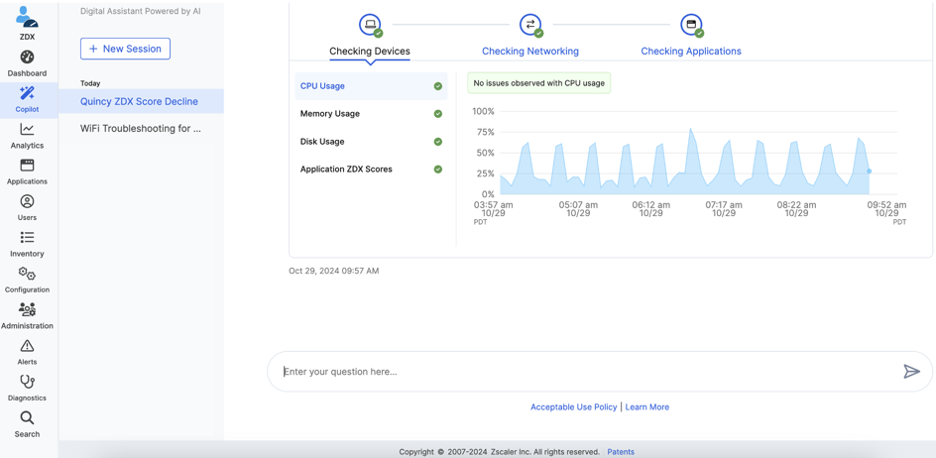
ZDX Copilot checks device, networking, and applications issues to identify root cause:
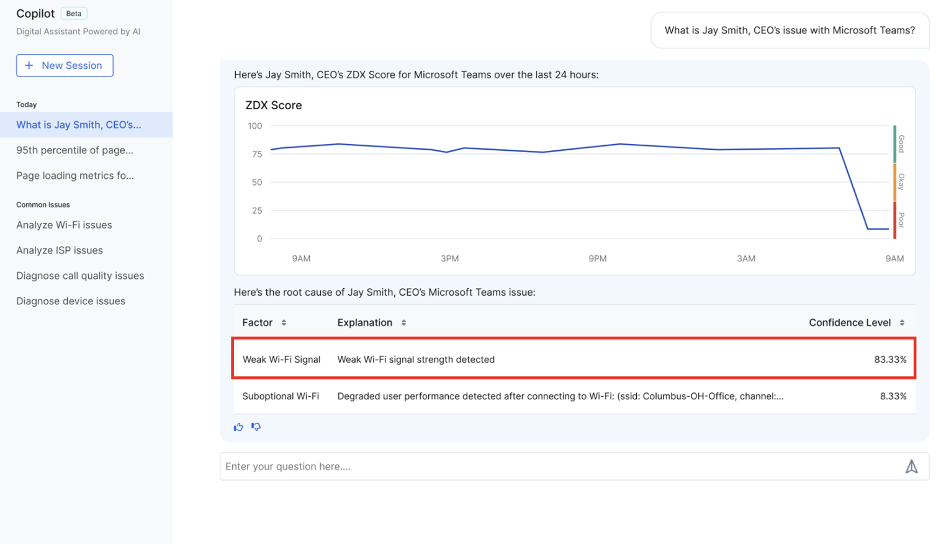
ZDX Copilot identifies Wi-Fi signal strength issues causing a poor Microsoft Teams experience:
For IT service desk teams, mastering these skills is essential in maintaining business continuity and minimizing disruptions during peak business hours. To learn more, sign up for a demo at Zscaler.com/ZDX.


