Each day as we track mobile malware payloads, we can see our signatures triggered by various banking Trojans apps. But on August 21, one sample triggered a special alert, because it was shown to be available on Google Play.
The name of app is 'Earn Real Money Gift cards' (package name: com.moneygift.real.app), and we confirmed it as a variant of a widely known BankBot malware family. As we extended our investigation to the author of this app, we came across a second app uploaded by the same author, entitled 'Bubble Shooter Wild Life' (package name: com.bubblesooter.wildlife). The payload, however, was not a BankBot; it turned out to be a downloader Trojan that is abusing the Google Play Accessibility Service.
“Accessibility services should only be used to assist users with disabilities in using Android devices and apps”, according to the Google Android Developer Guide.
Upon preliminary analysis of 'Bubble Shooter Wild Life', we were able to confirm it to be malicious and capable of abusing Android's Accessibility permission to install additional apps without user's permission. The Google Android security team was notified about the two malicious apps on the same day (August 21), while we continued analyzing the payloads.
Package Name: com.bubblesooter.wildlife
MD5: ef652a8813b1fd840da54b0c360df888
Play Store Link: play.google.com/store/apps/details?id=com.bubblesooter.wildlife
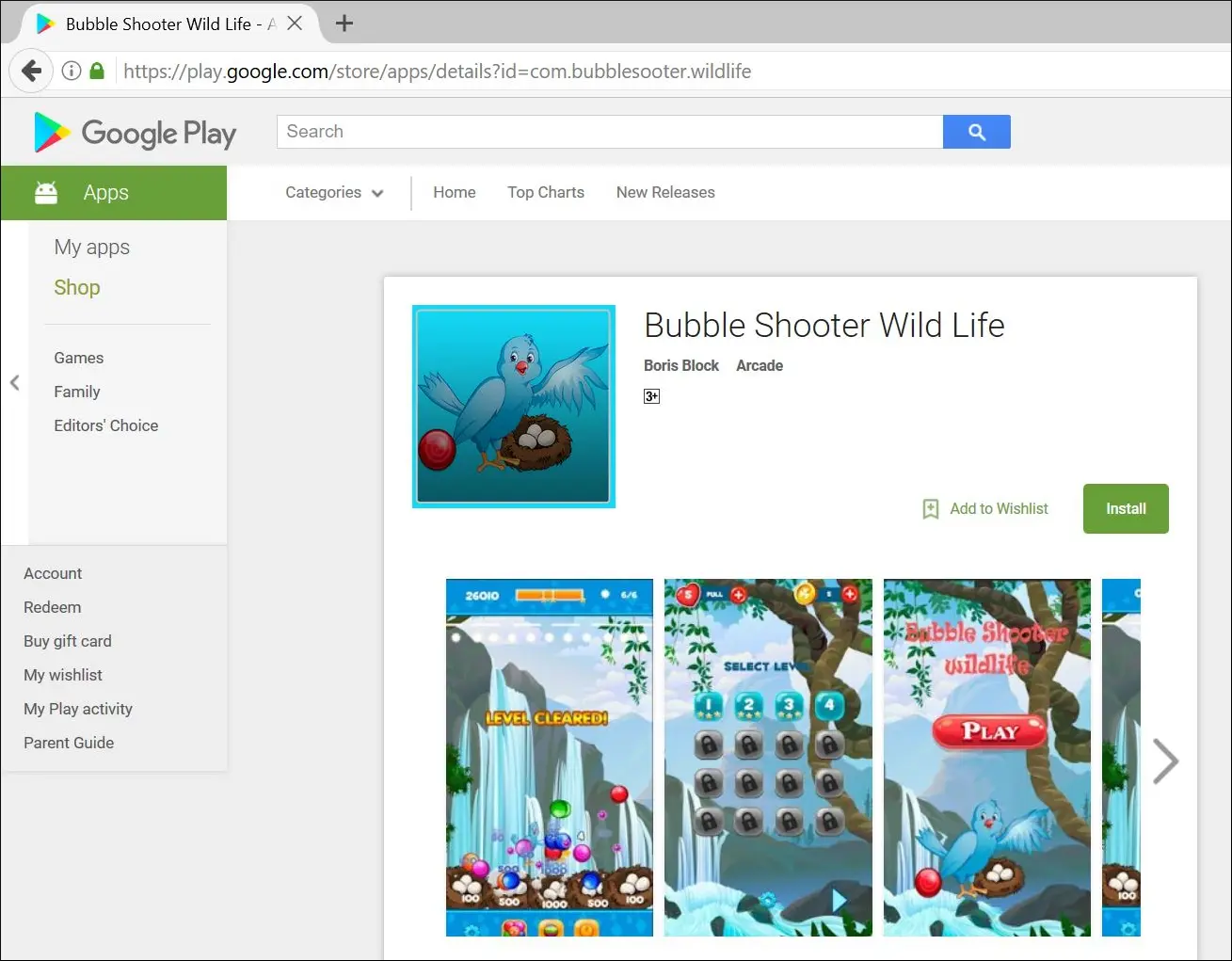 |
| Fig. 1: Malicious app Bubble Shooter Wild Life on Play Store |
We found the app was protected using Allatori Obfuscator. Most recent malware families have started using obfuscators, packers, and protectors to hinder analysis from security researchers and malware detection systems. Since most of the code strings were obfuscated, we decided to write a routine to decrypt all the strings and rebuild the APK. Once we got the strings in plain text, the analysis was straightforward.
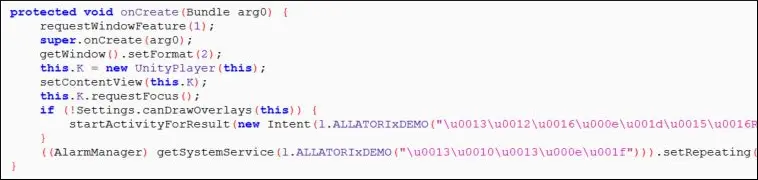 |
| Fig. 2: Obfuscated strings |
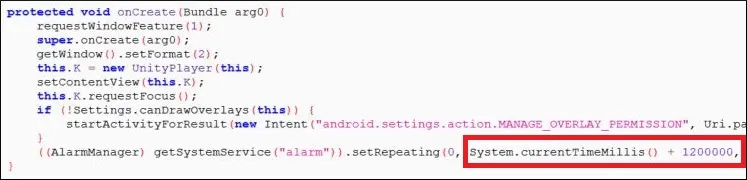 | |
| Fig. 3: De-Obfuscated Strings |
Fig.3 shows that the app registers a service, which will be triggered after 1200000 milliseconds — or 20 minutes. This might be one of the reasons why Google Bouncer couldn't detect this app.
Detail workflow:
-
Once the app is started, it asks permission to draw over other apps for the user to play the game.
-
The malicious routine in the background waits for 20 minutes before triggering the malicious service.
-
After 20 minutes, it repeteadly shows system alert disguised as a message from the Android OS (Fig. 4).
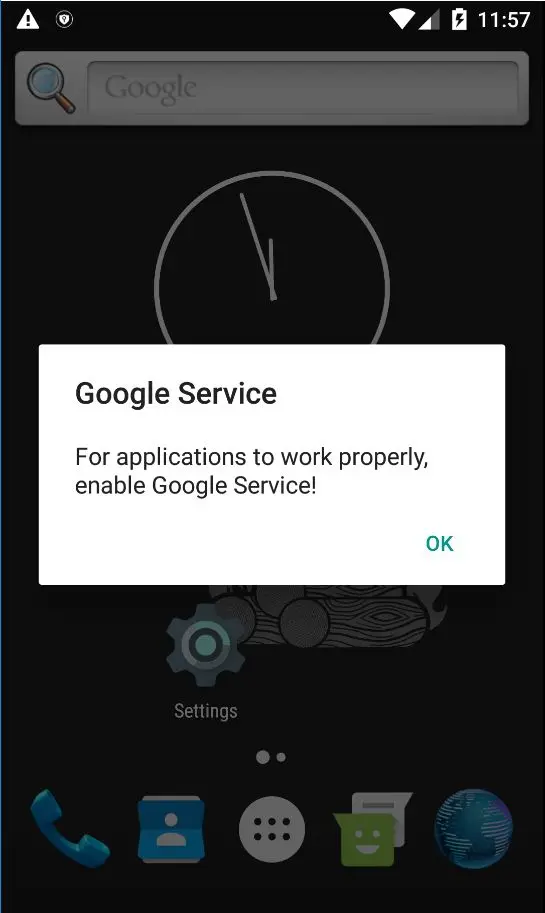 |
| Fig. 4 |
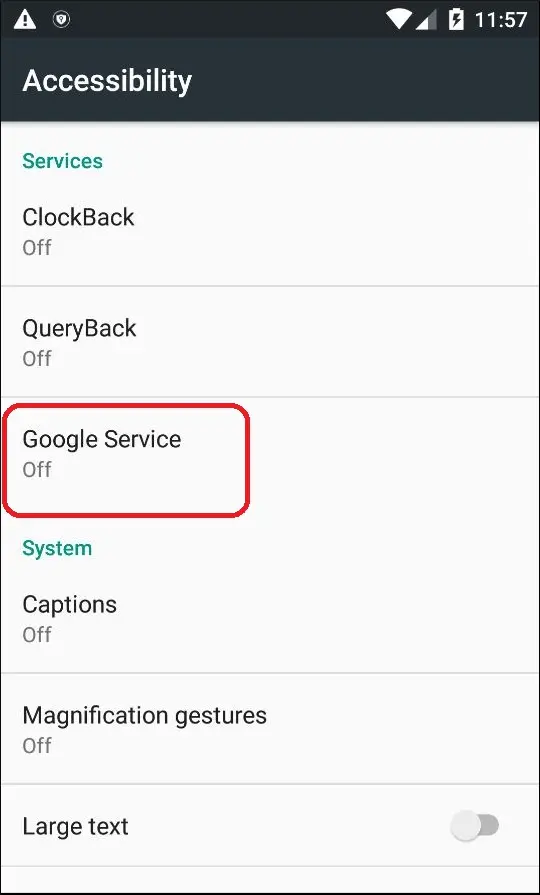
4. When the user clicks OK, the malware opens the Accessibility Settings menu, where the user can see that “Google Service” is turned off. What the user sees is actually the malware’s accessibility service designed to mimic a service from Google. (Fig.5)
 |
| Fig. 5 |
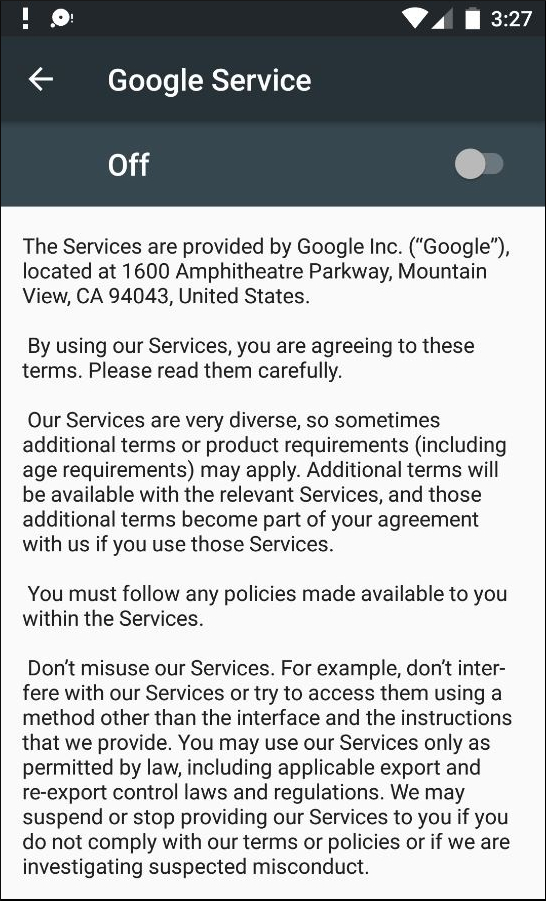
5. If the user clicks on the “Google Service” menu, it displays a toggle button to activate the service with a description. This is another tactic designed to trick the user by copying Google’s original Privacy & Terms from https://www.google.com/policies/terms.
 |
| Fig. 6 |
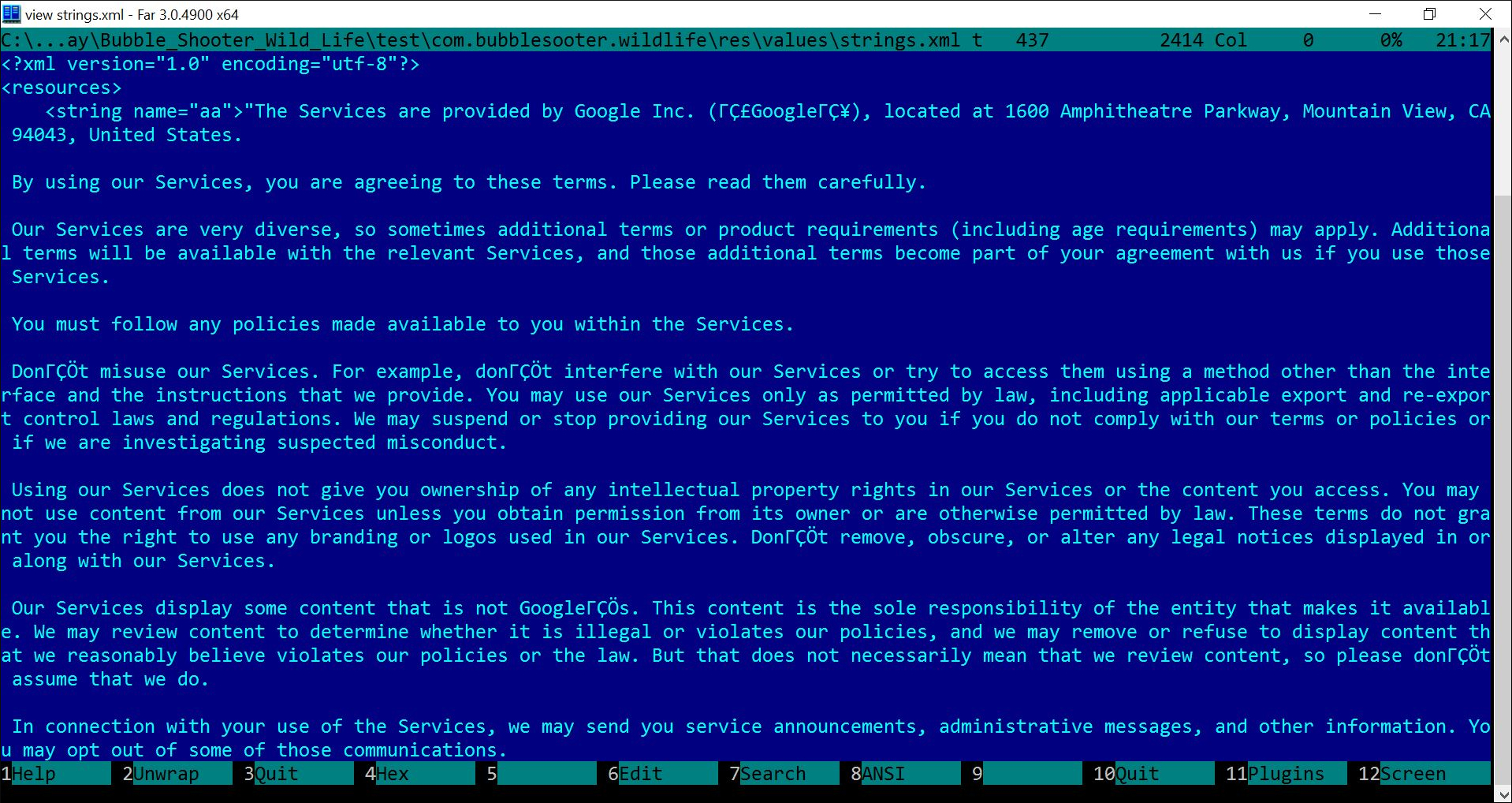
The text, which looks to be from Google, is stored in the app itself. (Fig. 7)
 |
| Fig. 7 |
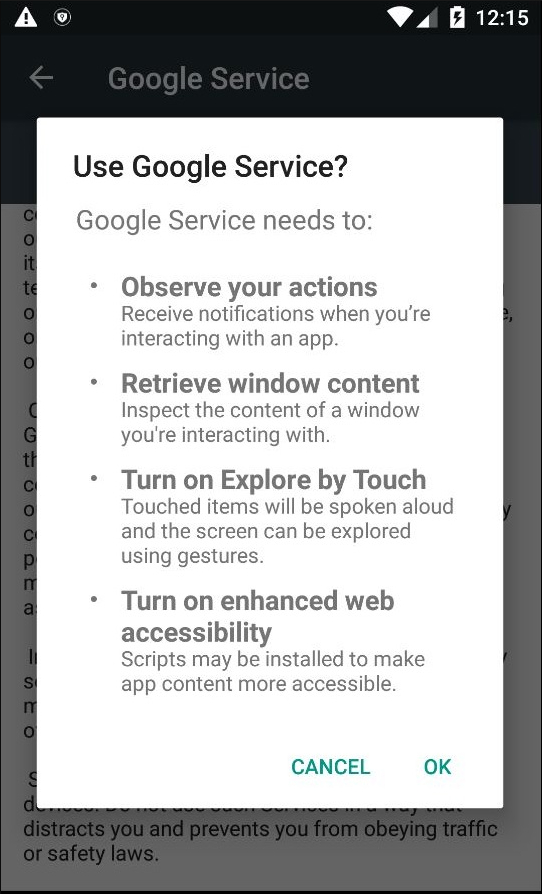
6. When users try to enable the service, they see the list of services required. Considering the techniques used by the malware author to this point, the user is most likely going to accept these permissions and press OK, giving the Accessibility permission to the malware app. (Fig. 8)
 |
| Fig. 8 |
7. As soon as the app gets Accessibility permission, it checks for a /sdcard/Download/app.apk file. However, for some reason in our review, it didn’t download this file. But for the sake of analysis, to see what would have happened if there was an app.apk file in the Download section, we kept a random APK file with the same name at that location. The malware abused the accessibility service to install that APK file automatically. First it tried to install the APK directly, but it turned out that the installation failed because the “Installation from Unknown Sources” was disabled. So, the app itself opened the Settings menu, turned on “Installation from Unknown Source” and then restarted the app.apk installation process. It accepted all the permissions of the app and completed the app installation successfully.
Conclusion
We have previously identified numerous instances of malicious apps hiding on Google Play and leveraging techniques like time delays and code obfuscation. However, this app’s abuse of the Google Accessibility service to install additional payloads without user’s permission is unique. While the apps in this analysis are fairly new on Google Play with fewer than 5000 downloads, we are concerned about the increase in the availability of dubious apps in the store. As a first line of defense, we recommend that consumers also increase the caution with which they download apps.