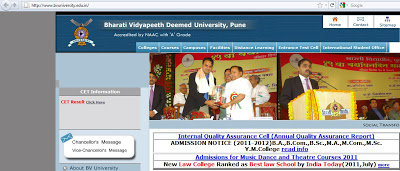
The malicious obfuscated JavaScript is injected right after the closing HTML tag. Here is the screenshot of injected malicious code:
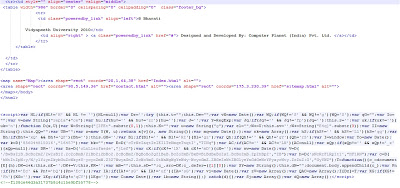
The above malicious JavaScript is heavily obfuscated and it’s hard to determine what it is trying to do, just from a manual inspection. Most of the time, the obfuscated code contains links to malicious websites hosting malware. Let’s complete a manual analysis of this malicious content to identify any links to malicious sites. To conduct a manual analysis, you need to understand JavaScript and basic HTML. Let’s format this code for better reading. You can find the formatted code here.
As you can see, the code still appears heavily obfuscated with numerous variables defined. You will also notice some JavaScript functions like “.substr”, “document.body.appendChild” which are commonly found in malicious code. Many of the variables defined receive a return value from function “D()” such as:
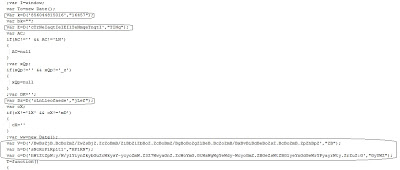
D() is clearly an interesting function, so we’ll begin there. We can see that function “D()” takes two parameters and returns a value. Let’s quickly find the “D()” function and look into the code. Here is what function “D()” looks like:
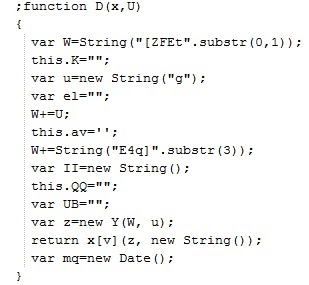
So function “D()” will do some string operations on the passed in parameters. We can now copy and paste this function and copy the variables, which use this function into a new HTML file called “test.html”. The goal is to identify return values from this function. For this function to work, we also need two variables, “Y” and “v”, which are used inside this function. These variables are available from the main script. Copy and paste those variables into the D() function. Now, we will call another JavaScript function called “alert()” to display the return value. Open the new “test.html” file we created in Internet explorer. The JavaScript function “alert()” will pop up the message box displaying the return value, as shown below:
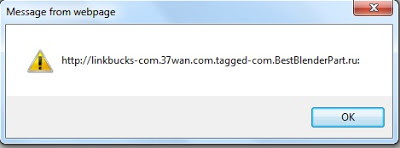
Insert all of the variables, which use this function and read out all the strings returned by this function. Here is what our new “test.html” file looks like:
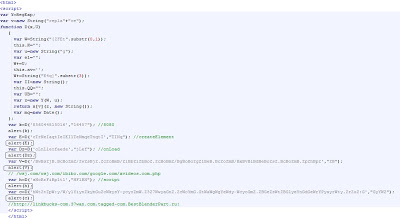
I have already added the strings returned by this function in the code comments. The above malicious code points to the malicious website “hxxp://linkbucks-com.37wan.com.tagged-com.BestBlenderPart.ru:8080/wsj.com/wsj.com/ibibo.com/google.com/xvideos.com.php”.
Umesh