Earlier this week, I researched the top websites blocked by Google. I've looked at more of these websites over the last three days to better understand the most common attacks.
The findings are quite disappointing. First, most infected websites are not cleaned up after three days. Webmasters should see a huge drop in their traffic, since only Internet Explorer and Opera users would not receive a warning preventing them from visiting these sites, due to the fact that other browsers use the Google Safe Browsing denylist. This also means that the owners of these very popular websites have not invested in keeping their website safe, or at least in solutions to detect the blocking of their pages, traffic anomalies, or the detection of malicious content.
Second, the injected IFRAMES or JavaScript, redirect to the same type of malicious pages that we've seen for years now, such as fake AV scareware, fake Flash updates, survey scams, etc. That means that users are
still not educated enough to recognize fake software updates and still fall for the same old tricks.
These users won't get much help from their antivirus either. The detection rate of new malicious executables is very low, usually below 25%.
Here are some of the very recognizable malicious landing pages.
Fake Flash Updates
This is exactly the same attack we described in October 2011 (Naked Emma Watson video). A website that looks a lot like YouTube, claims that Flash must be upgraded to watch the sex video of some celebrity.
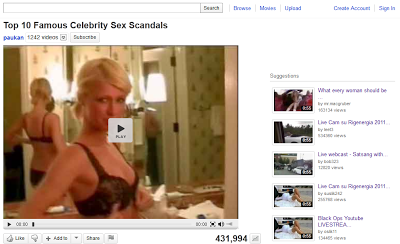 |
| Fake Youtube page |
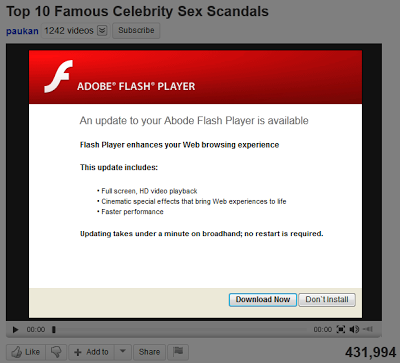 |
| Warning about Flash upgrade |
Only 9 AV vendors out of 42 detect the fake Flash upgrade executable as malicious
Fake AV
This one looks different than the usual fake AV pages, as it is just an image with no animation.
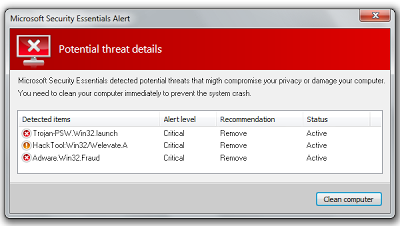 |
| Fake AV page |
Detected by 12 AV engines out of 42.
Survey scam
A common way for spammers to profit from users is to get them to do "free" trials in order to earn a gift (or so they claim). This type of scam is very, very common. It's amazing that is still works.
In this example, the spammer uses a fake Youtube page to make the scam appear more legitimate.
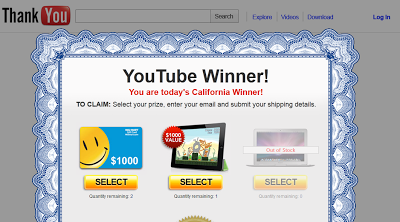 |
| Survey scam |
I also found out that while Google Safe Browsing might block the infected site, it often does not block the actual malicious domain injected into the page in the form of a malicious IFRAME or JavaScript redirect. This means that other websites infected with the same piece of malware could be missed by Google Safe Browsing and still impact other users.
For webmasters
There are many ways to know when your website is blocked. For example, you can register a free account with Google Webmaster Tools. Then look under Health > Malware for any indication of blocking. You can also check the Google Safe Browsing diagnostic page for your domain at http://www.google.com/safebrowsing/diagnostic?site=mysite.com. This will tell you not only if your domain is blocked, but also if a portion of your site is compromised before you actually get blocked. Finally, you can do some automated checks with the Google Safe Browsing Lookup API. We have released libraries to interact with the API using Perl, Python and Ruby.