Blog de Zscaler
Reciba en su bandeja de entrada las últimas actualizaciones del blog de Zscaler
Replace VDI with Zero Trust Browser: Even Thick-Client Apps Can Now Be Streamed

Replace VDI with Zero Trust Browser: Even Thick-Client Apps Can Now Be Streamed
Every major shift in how enterprises deliver applications has created a corresponding gap in security and access. Client-server gave way to web apps. Web apps moved to SaaS. SaaS moved to the browser. At each step, the access model caught up, sometimes years later.
One holdout remains: thick-client applications.
SAP GUI, financial modeling tools, developer IDEs, database management utilities. These applications still require a full desktop runtime. They cannot run natively in a browser, and organizations cannot simply rewrite them. So the default answer, for the past two decades, has been VDI.
VDI works. It also costs up to $1,800 per user annually. It requires dedicated infrastructure: brokers, gateways, golden images, GPU pools, persistent storage, and specialized EUC teams to keep all of it running. Worse, VDI environments are network-centric by design. Desktops sit on internal networks with broad lateral movement paths, and access typically rides a VPN or VDI gateway that exposes a public attack surface. Recent high-profile vulnerabilities in those gateways have underscored exactly how fragile this model is.
While Zero Trust Network Access has transformed how enterprises securely connect users to applications—including thick-client applications accessed through the Zscaler Client Connector—delivering those same thick clients to unmanaged devices remains a challenge. BYOD users, third-party contractors, and offshore teams often cannot install an endpoint agent, and for these scenarios, organizations still default to VDI, introducing significant infrastructure costs, operational complexity, and the same lateral movement risk they have been working to eliminate everywhere else.
We built Zero Trust Browser Application Isolation to address that.
The Zscaler Zero Trust Browser now supports thick-client application delivery through a capability we call Application Isolation.
The concept is straightforward: thick-client applications execute inside isolated, ephemeral cloud environments managed by Zscaler. The user sees the application rendered inside the Zero Trust Browser, launched from the same landing page where their web and private applications already live. Administrators define which applications are available, assign them to user groups through access policies, and apply data protection controls through the same browser-native DLP they already use for web sessions.
This post covers the architecture, how it changes the access model for thick clients, where the security controls sit, and what it means for organizations still running VDI.
Traditional VDI delivers a full desktop. The user connects to a virtual machine, and inside that VM, they open the applications they need. The desktop is the unit of delivery. Everything that comes with a desktop (the OS, the image, the licensing, the patching, the startup time) comes along for the ride.
Zscaler takes a different approach. Rather than requiring a dedicated VDI client or customer-managed infrastructure, it delivers cloud-hosted environments directly through the Zero Trust Browser. Users can seamlessly launch their desktop sessions in a browser tab, with access to their thick-client applications.
The user opens the Zero Trust Browser and sees their entitled desktop environments alongside their web and private applications. One workspace. One landing page. One set of access policies governing all of it.
Every session with Application Isolation routes through the Zscaler Zero Trust Exchange. Internet and SaaS traffic flows through ZIA for full inline inspection. Private application traffic flows through ZPA. All connections are brokered and identity-verified, bound to the authenticated user, not to a network path.
There is no direct outbound route that bypasses Zscaler. The architecture enforces this by design, not by policy.
Last-mile data protection controls apply at the browser layer. Clipboard restrictions, file transfer controls, dynamic watermarking, and anti-screenshot protection all work the same way they do in web isolation sessions. Administrators configure them from the same console, using the same policy framework. If you already manage DLP policies in the Zero Trust Browser for web applications, the same policies extend to thick-client sessions without additional configuration.
Session persistence is enabled by default. Users can disconnect and reconnect to a running session with unsaved work intact. In future releases, we will introduce configurable session persistence policies, including an ephemeral mode where the environment self-destructs on disconnect and leaves no residual state—ideal for high-risk contractor scenarios.
In the demo below, the user launches a persistent, isolated thick-client workspace directly from the Zero Trust Browser landing page — one click into a new tab, no local agents, VDI clients, or complex setup required. From there, they connect to a corporate CRM database hosted behind Zscaler Private Access, opening DBeaver and querying live account data without ever touching a VPN. To show the flexibility of the environment, they then drop into the command line and install the Geany editor using standard sudo permissions — just as they would on a local machine. Throughout the session, mouse tracking stays fluid and keyboard input registers instantly, with no perceptible latency between the remote workspace and the user's browser.
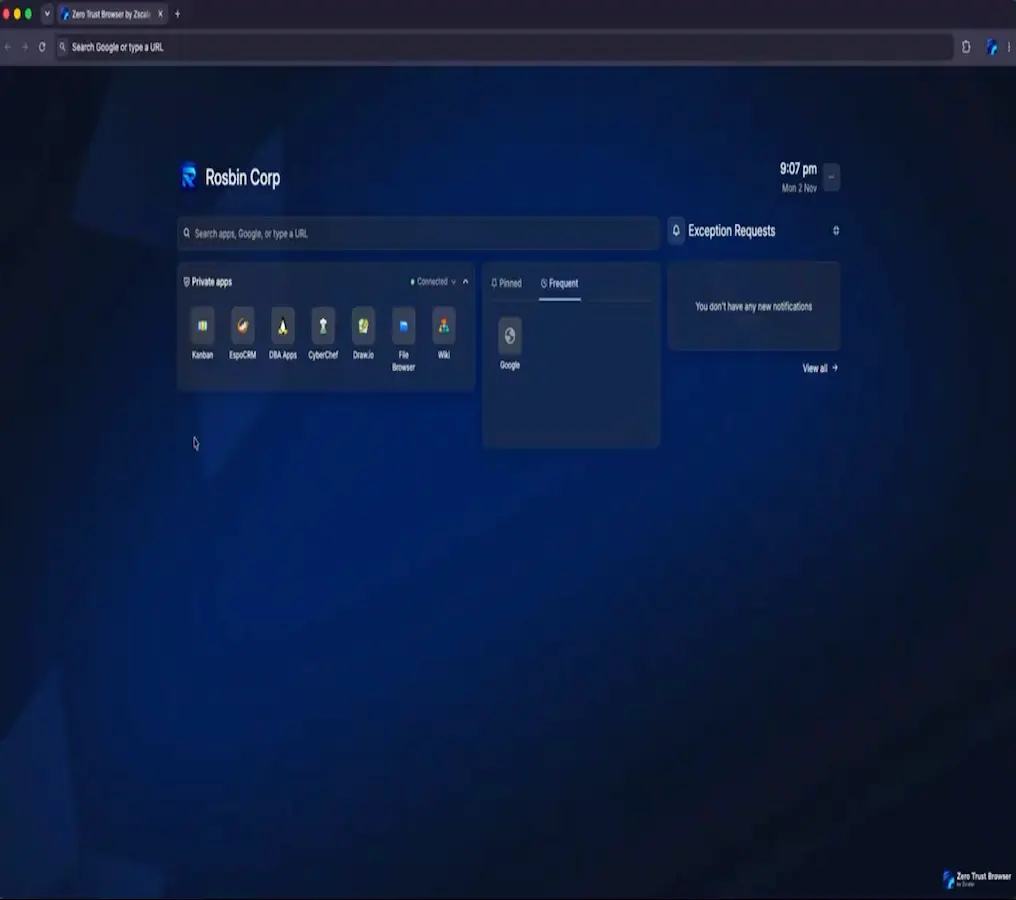
Zero Trust Browser Application Isolation - User Experience
Three things have converged to make this urgent.
First, VDI licensing economics are getting worse, not better. Major vendors have raised prices and changed licensing terms repeatedly over the past several years. For organizations running thousands of VDI seats primarily to deliver a handful of thick-client applications, the cost-per-app math has become increasingly difficult to justify.
Second, contractor and BYOD access patterns have grown more complex. Offshore development teams, third-party service providers, and acquired employees all need access to internal thick-client applications. Installing endpoint agents on unmanaged devices is often impractical or prohibited. VDI has been the default fallback, but it introduces the same infrastructure burden and lateral movement risk for external users that it does for internal ones.
Third, the Zero Trust Browser has matured to the point where extending it into application delivery is a natural next step. The browser already handles web isolation, data protection, posture verification, and identity-based access. Adding cloud-hosted thick-client rendering to that same architecture lets organizations consolidate another access silo onto a platform they already operate.
Replace VDI with Zscaler Zero Trust Browser. Instead of maintaining slow, expensive, and complex virtual desktops to run a handful of desktop apps, you can now publish remaining thick-client workloads directly into Zscaler’s Zero Trust Browser. By consolidating your thick-client access alongside the web and SaaS applications you already deliver natively through the browser, you can completely replace VDI solutions. The applications keep running while the complex infrastructure goes away.
Secure contractor and offshore access without agents. Third-party developers access SAP, database utilities, and development environments from personal laptops through the Zero Trust Browser. Enterprise data stays inside the cloud. Copy/paste and file downloads are governed by policy.
Stand up developer workspaces. Engineers get persistent, pre-configured environments with their IDEs, terminals, and database tools. Source code never touches the local endpoint, and connectivity to internal repositories flows through ZPA.
Enforce DLP on sensitive applications. Financial analysts run modeling tools inside watermarked, screenshot-protected sessions. The controls are browser-native, so the user's workflow stays the same.
Accelerate M&A onboarding. Acquired employees access core business applications through the browser on day one. No network integration, no Active Directory trust configuration, no months of infrastructure work before someone can be productive.
Application Isolation extends the Zero Trust Browser from an access and security layer into an application workspace. For organizations that have already consolidated internet, SaaS, and private application access onto the Zscaler Zero Trust Exchange, thick-client delivery was one of the last remaining reasons to maintain a parallel VDI environment.
That reason is going away.
The direction is the same one that has guided the platform from the beginning: every layer doing the job it does best, every layer working together, and zero trust extending wherever work happens.
To learn more about Application Isolation in the Zero Trust Browser, contact your sales representative.

¿Este post ha sido útil?


Descargo de responsabilidad: Esta entrada de blog ha sido creada por Zscaler con fines únicamente informativos y se proporciona "tal cual" sin ninguna garantía de exactitud, integridad o fiabilidad. Zscaler no asume ninguna responsabilidad por cualquier error u omisión o por cualquier acción tomada en base a la información proporcionada. Cualquier sitio web de terceros o recursos vinculados en esta entrada del blog se proporcionan solo por conveniencia, y Zscaler no es responsable de su contenido o prácticas. Todo el contenido está sujeto a cambios sin previo aviso. Al acceder a este blog, usted acepta estos términos y reconoce su exclusiva responsabilidad de verificar y utilizar la información según convenga a sus necesidades.
Explorar más blogs de Zscaler

Introducing the Next Phase of the Zero Trust Browser

Extending Zero Trust to the Browser: A New Frontier for Enterprise Security

Why Zscaler's Zero Trust Exchange is an Alternative to VDI, Part 1
Reciba en su bandeja de entrada las últimas actualizaciones del blog de Zscaler

Al enviar el formulario, acepta nuestra política de privacidad.