Zscaler 部落格
訂閱 Zscaler 部落格,第一時間獲取最新資訊!
Automatically block IPs and domains with Red Canary + Microsoft

With Red Canary’s new playbook actions, Microsoft Defender for Endpoint customers can automatically ban malicious websites and IP addresses.
This article was originally published by Red Canary, which is now part of Zscaler.
Red Canary Automate empowers security teams to define and automate threat remediation processes in a safe, easy, and meaningful way. Customers use Automate to trigger notification workflows and to initiate containment actions against a threat to instantly mitigate risk. Since adversaries don’t always keep a 9-5 schedule, you can be confident that initial remediation actions are ready and waiting to fire, even when your team is away from keys.
We are excited to add Ban IP and Ban Domain playbook actions to our list of available remediation actions available with the Red Canary + Microsoft platform.
Why ban an IP or a domain with Defender?
Ideally, your endpoints all connect to the internet through centrally administered firewalls or proxies, whether on a local corporate network or via VPN from elsewhere. Those tools are a necessary control plane for network traffic from your endpoints and modern firewalls often block traffic to known bad destinations automatically or by configuration. However, you can’t always count on your endpoints to connect online via primary security infrastructure like your firewall. When your team is on the road or working “from home” at a beach resort in Maui, how can you ensure that those endpoints aren’t connecting to malicious destinations beyond your network?
Red Canary’s Ban IP and Ban Domain playbook actions use the Defender for Endpoint Network Protection feature to block traffic to and from domains and IP addresses that you mark as indicators of compromise (IOC).
Let’s set one up to see it in action:
This Automate trigger is set up to run on the weekends, when most security teams are away from their work (don’t forget that Red Canary’s team monitors for threats 24/7):
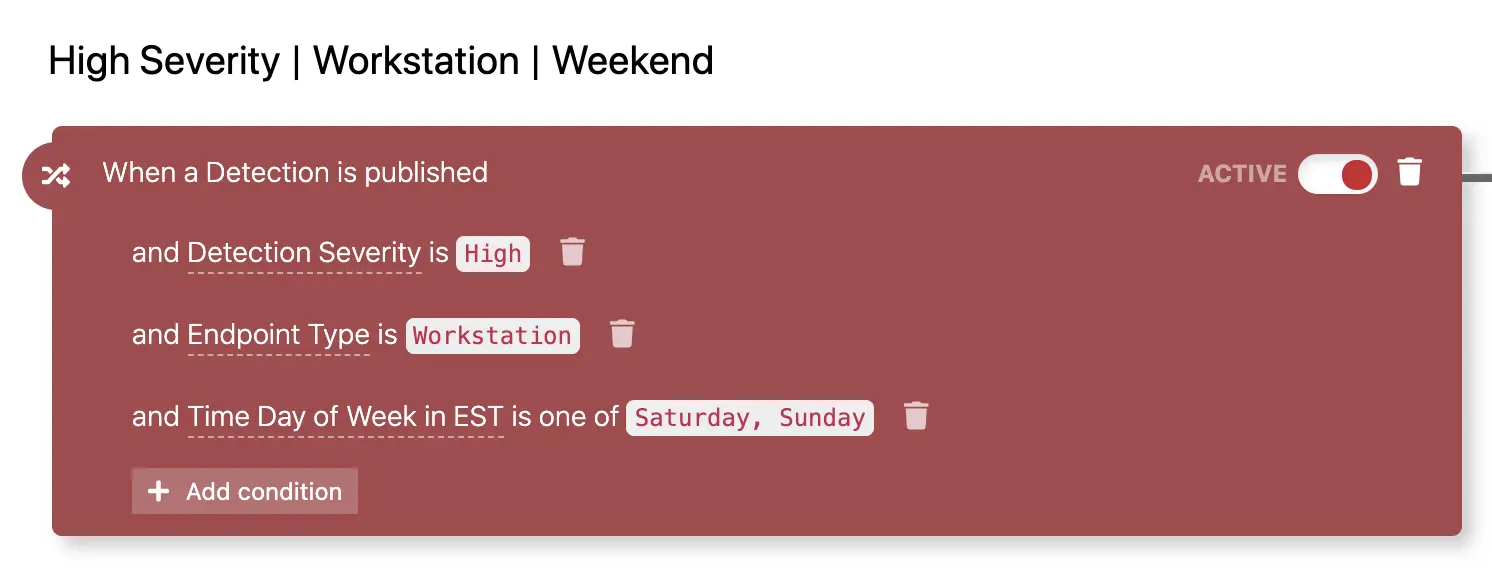
We had already configured response actions to contain the risk associated with threats that Red Canary may detect on your endpoints over the weekend:
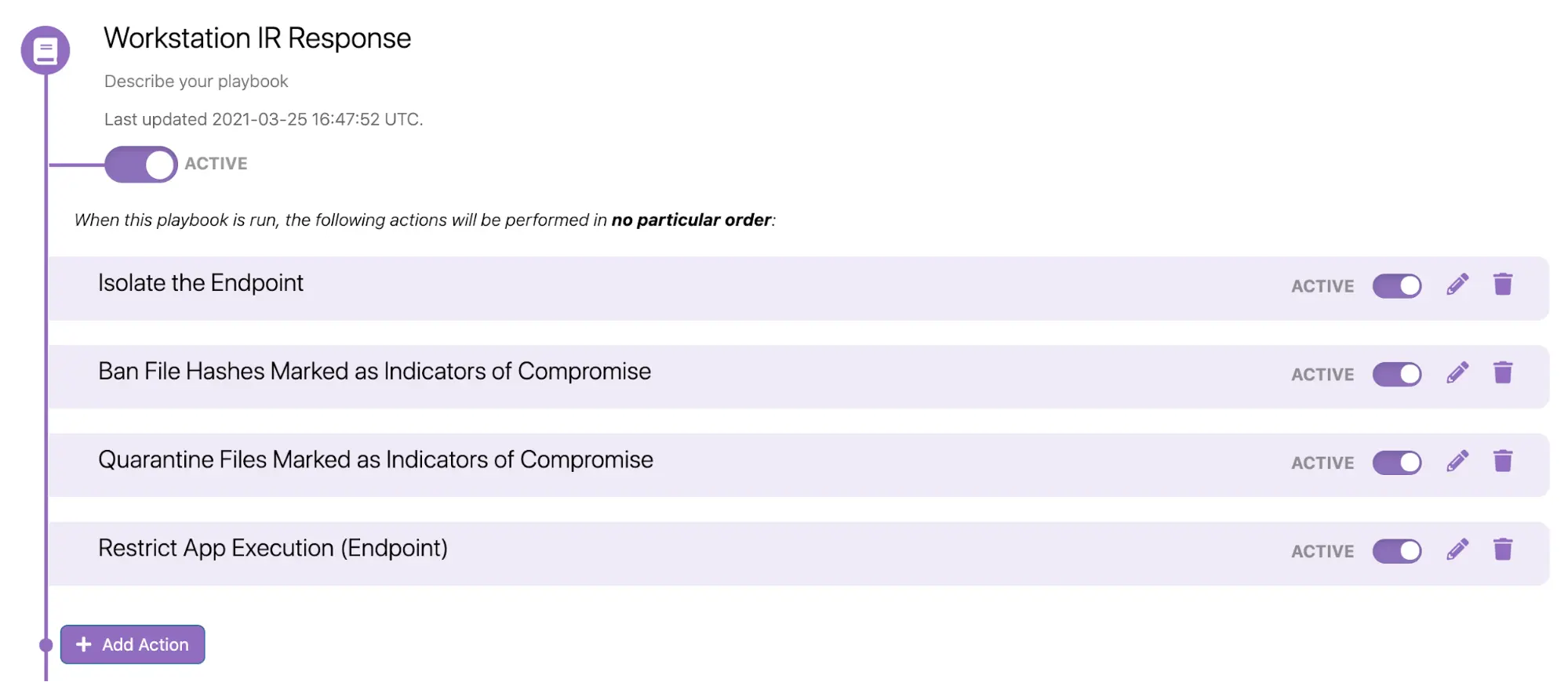
Now, you can add new actions to block connections to IPs and to domains that are identified as IOCs:
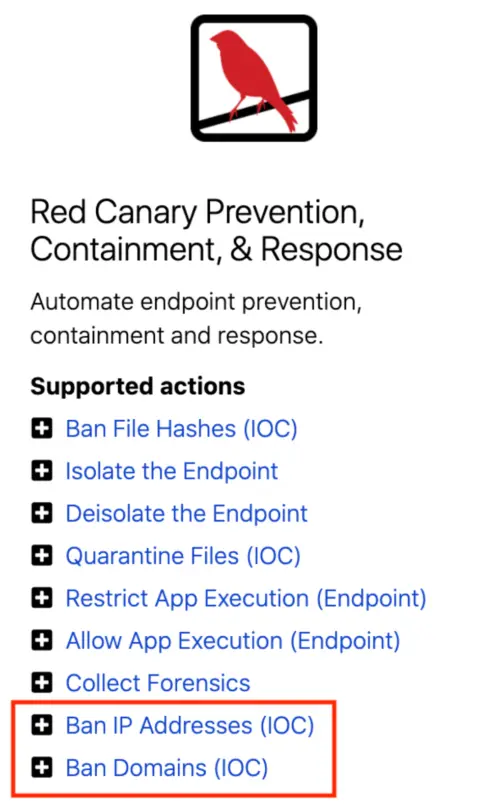
After adding these to your Playbook, you are done with configuration in the Red Canary platform. However, there are still some Defender prerequisites to double check.
From Microsoft Documentation:
- URL/IP allow and block relies on the Defender for Endpoint component Network Protection to be enabled in block mode.
- The Antimalware client version must be 4.18.1906.x or later.
- Supported on machines on Windows 10, version 1709 or later.
- Ensure that Custom network indicators is enabled in Microsoft Defender Security Center > Settings > Advanced features.
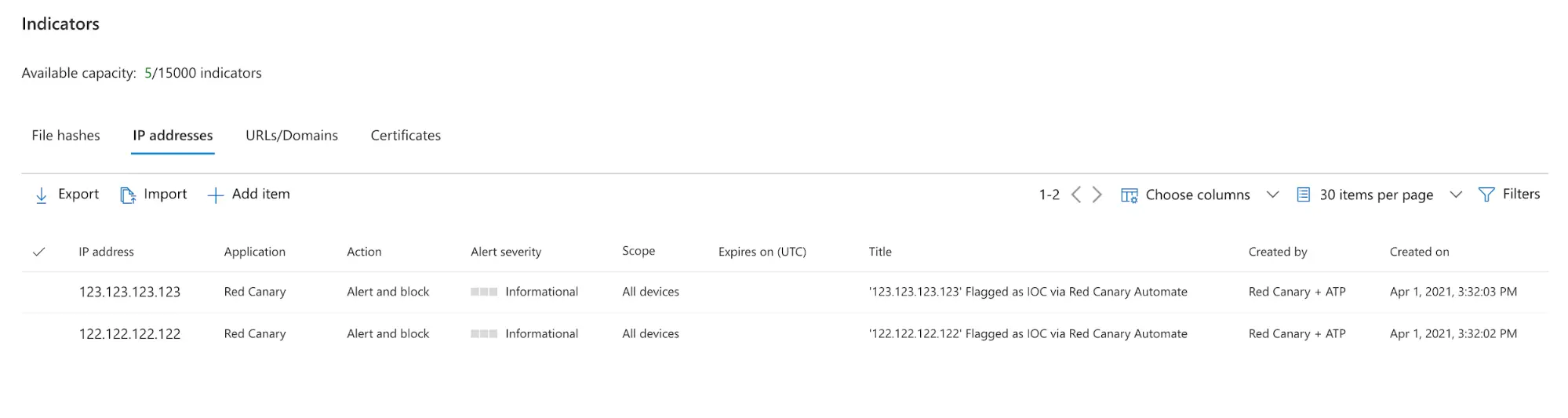
Red Canary will set each individual IOC as an “Indicator” within the Defender portal in “Alert and Block” mode. Any machine set up with Microsoft Defender for Endpoint will subsequently block connections to those IOCs at the endpoint level, whether or not that traffic is going through your firewall.
Here’s what it looks like when those actions run successfully:
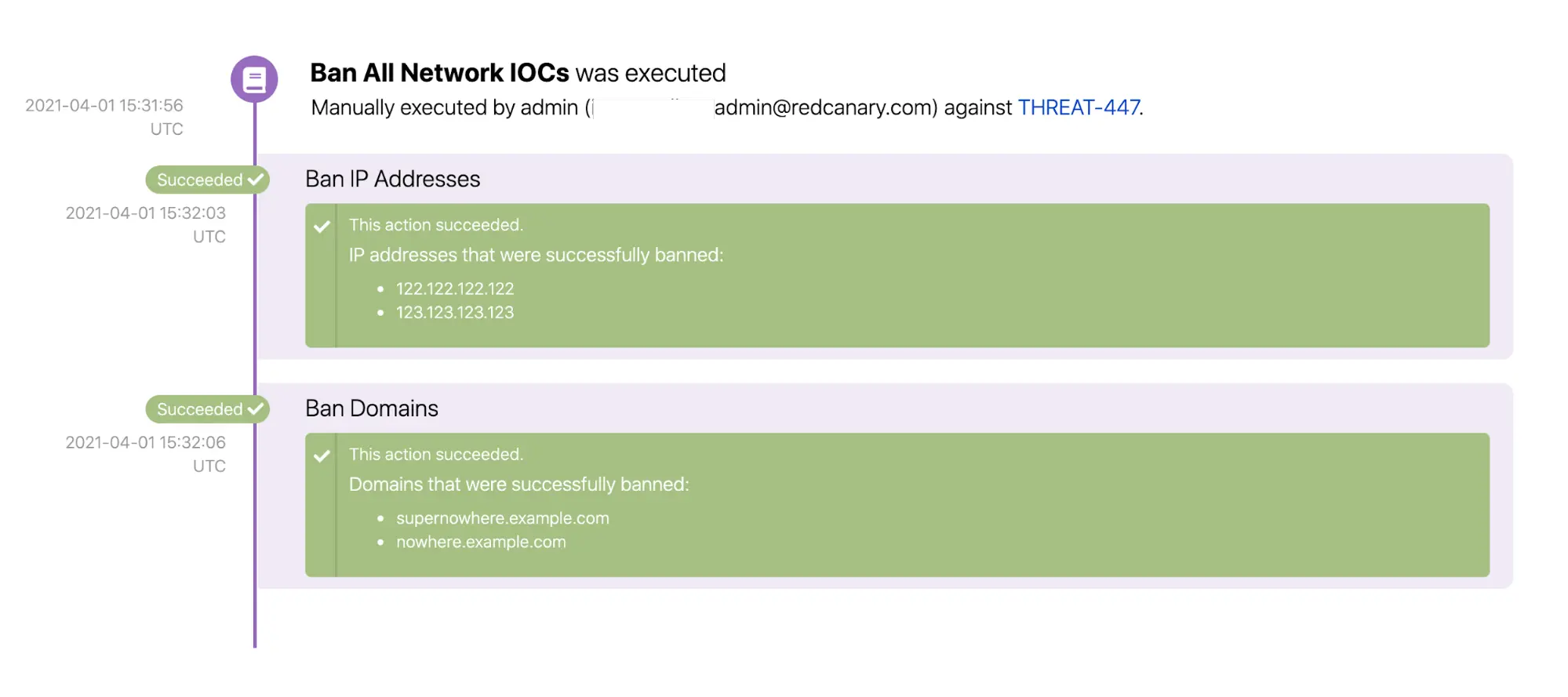
In Defender, you can see where those “Indicators” have been added (only the IP indicators shown here):
While endpoint-based network detection won’t replace your next-gen firewall, you can now take advantage of these Red Canary + Microsoft Automate actions to enhance your network protection procedures.
MICROSOFT SECURITY TRAILBLAZER


免責聲明:本部落格文章由 Zscaler 製作,僅供資訊參考,並以「現狀」提供,不保證其準確性、完整性或可靠性。Zscaler 對任何錯誤或遺漏,或基於所提供的資訊而採取的任何行動不承擔任何責任。本部落格文章中連結的任何第三方網站或資源僅為方便起見而提供,Zscaler 對其內容或做法概不負責。所有內容如有變更,恕不另行通知。存取此部落格,即表示您同意這些條款,並承認您有責任自行驗證並根據您的需求適當使用資訊。