Zscaler 部落格
訂閱 Zscaler 部落格,第一時間獲取最新資訊!
Simplify Healthcare Boardroom Meetings and Compliance with Risk360

When I was a customer, I was tasked with implementing new compliance controls and decreasing risk. The challenge was that vendors would tell me, “...we can provide you Y to be compliant with your standards”, which would mean a 500-page document covering how to enable all of these toggles in order to be compliant. We all know how risk averse healthcare is; the last thing I would want to do is start blocking and turning on new security controls without in-depth testing. Then how would I even know where to begin? Do I start at page 1 or page 60 because secure DNS is easier to implement?
I needed a tool that could not only ingest a compliance framework but give me easy-to-understand feedback as to where I was compliant, where I wasn’t, the risk(s) of noncompliance, financial or otherwise, and, most importantly, how to become compliant.
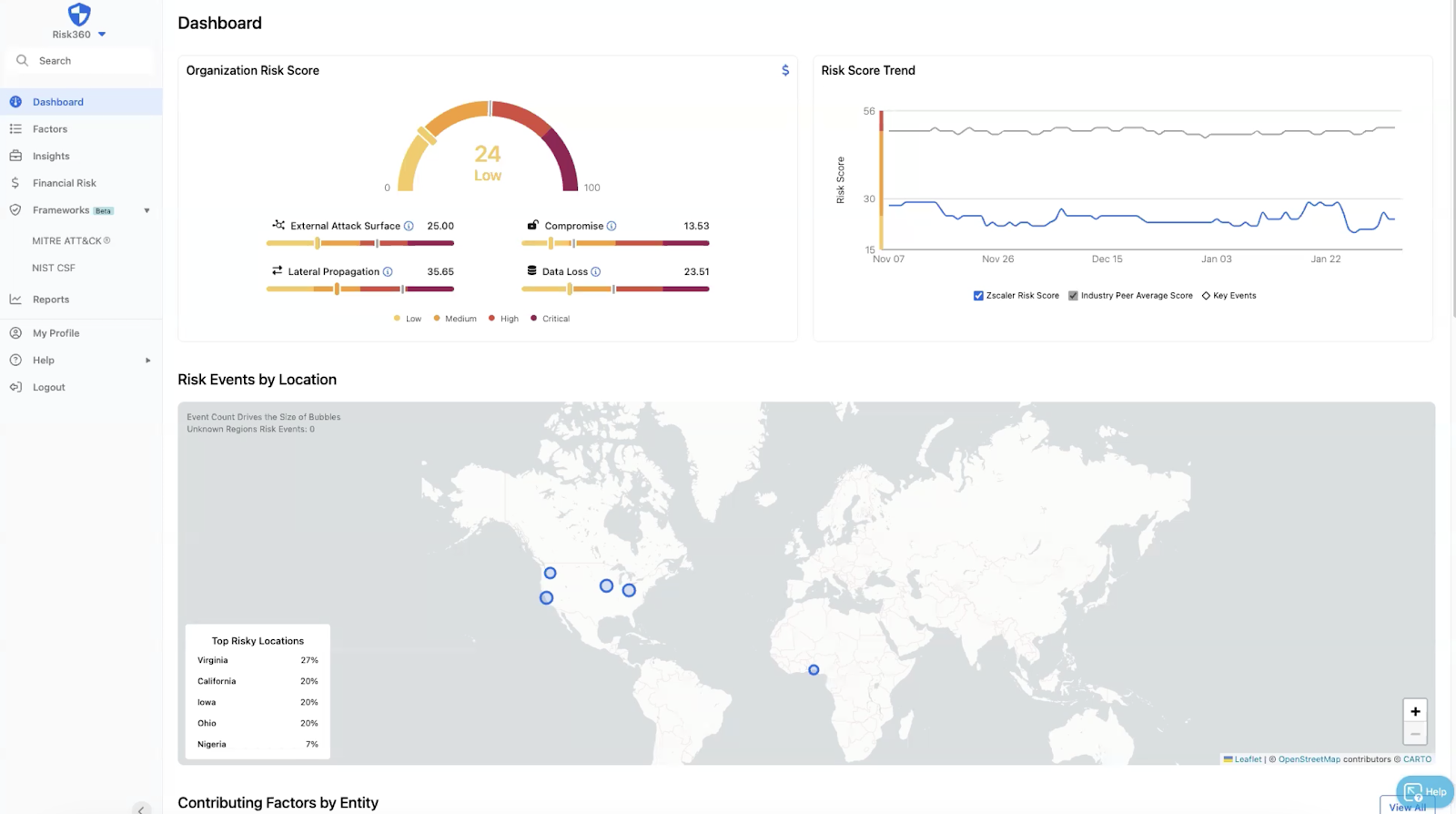
Here comes Zscaler Risk360 to save the day! I wish this had existed when I would prep the C-suite to speak to the board. Zscaler Risk360 offers a clear view of risk criteria, financial impact, simple C-level reporting, and insights into where the most risk is coming from.
I can take high-priority recommendations and see exactly what’s going on in my environment for that set of criteria. For example, I can view a high spike of malicious content blocks discovered on Jan 24.
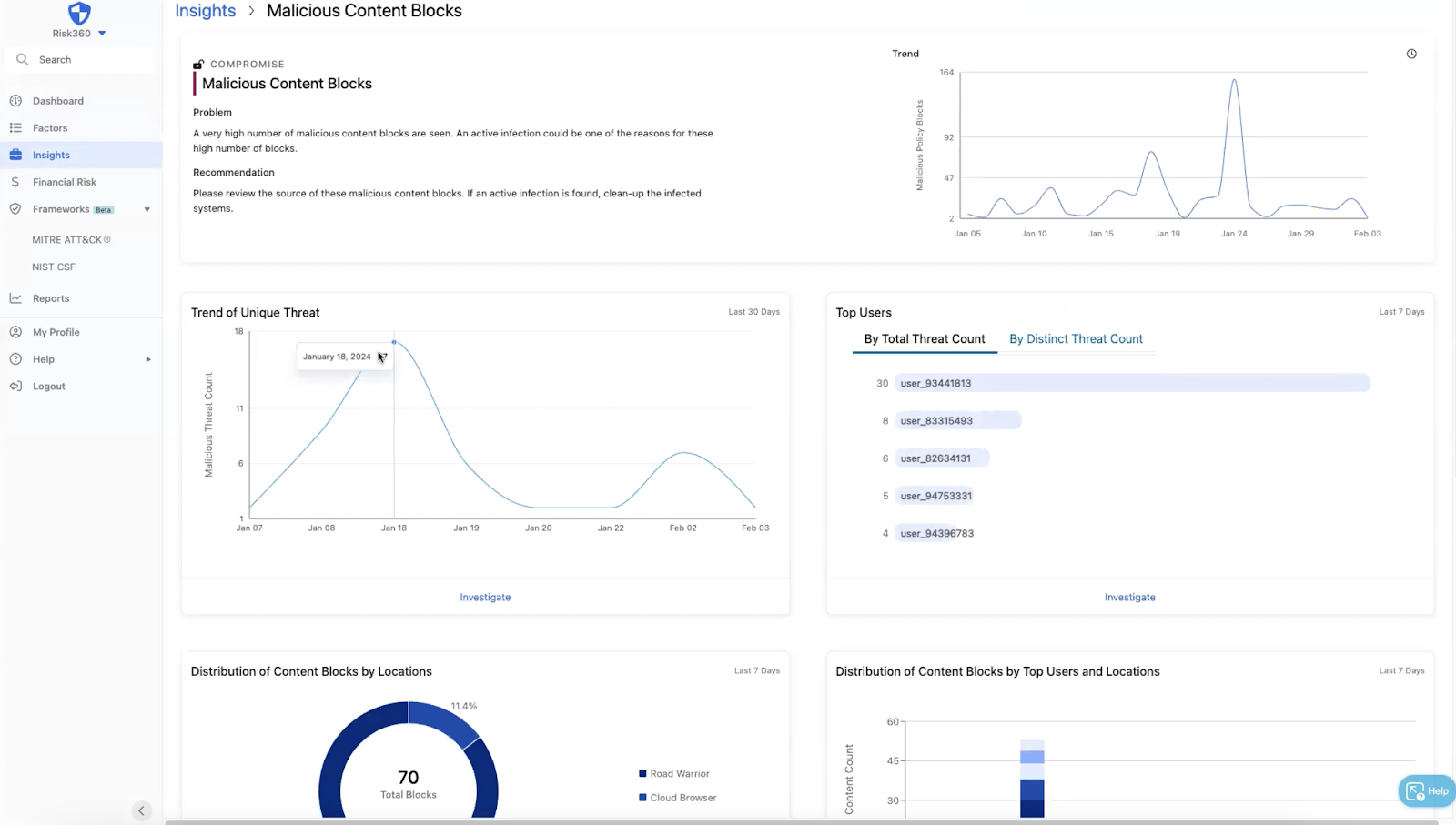
I can then see which users are being targeted and the threats they’ve tried downloading or executing. This allows me to proactively ensure a machine is not infected.
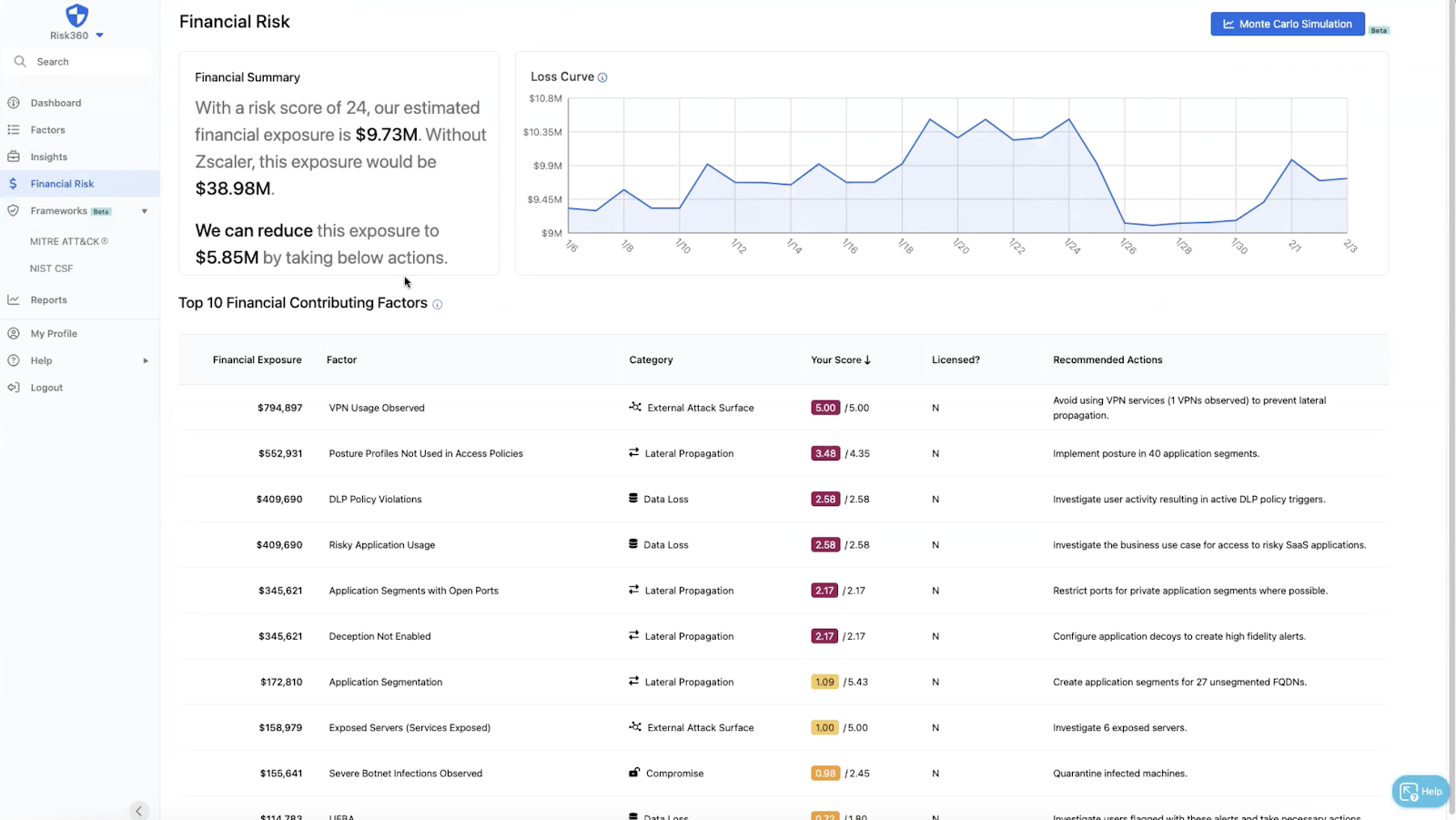
Then, the financial risk dashboard will show me how much the infection could cost me. I can see if risky application usage, such as going to free PDF converter websites with poor terms, causes a severe impact to risk.. I can even run a Monte Carlo Simulation.
My favorite part of Zscaler Risk360 is the framework piece. As I said before, I could go through a long process of searching through all the documents to make sure all my resources are compliant, but that takes time—time healthcare customers don’t have. If I look at MITRE for example:
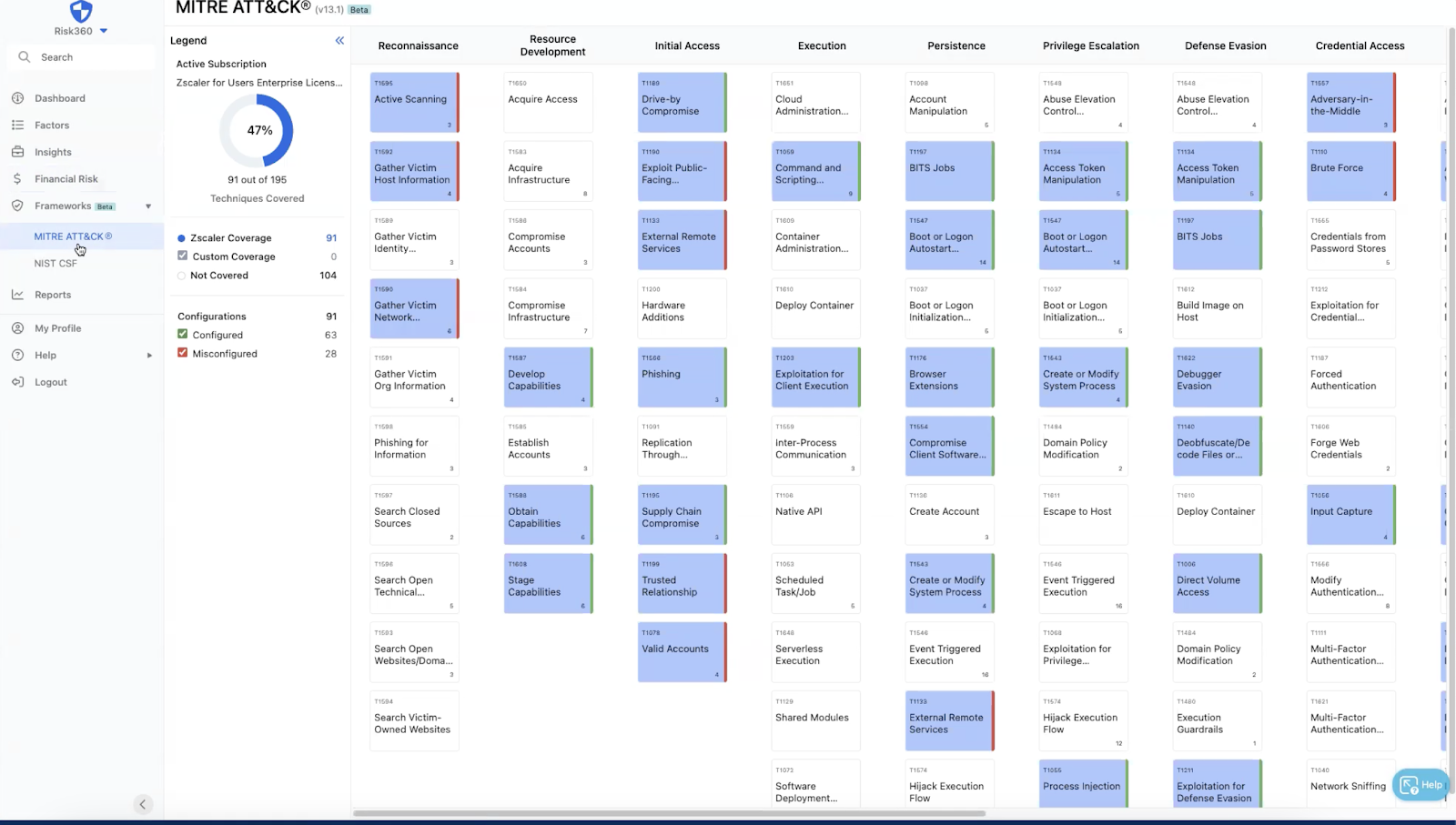
Looking at MITRE ATT&CK, I can see where I am configured correctly, misconfigured, or not configured at all. It will consider my current Zscaler license subscription as well to tell me where Zscaler could be helping me that maybe I haven’t thought of. I have talked to many healthcare providers that weren’t aware Zscaler has certain features for data protection. Instead they were paying for multiple products that all had overlap. You have heard me talk before about the healthcare mantra “do more with less”; well, here is a perfect chance to live out that mantra and find out where you can reduce cost on overlap.
If I click on one of the framework toggles, I will get a window that will not only give me the MITRE link with information on the selected section, but also tell me what Zscaler product if applicable fixes it.
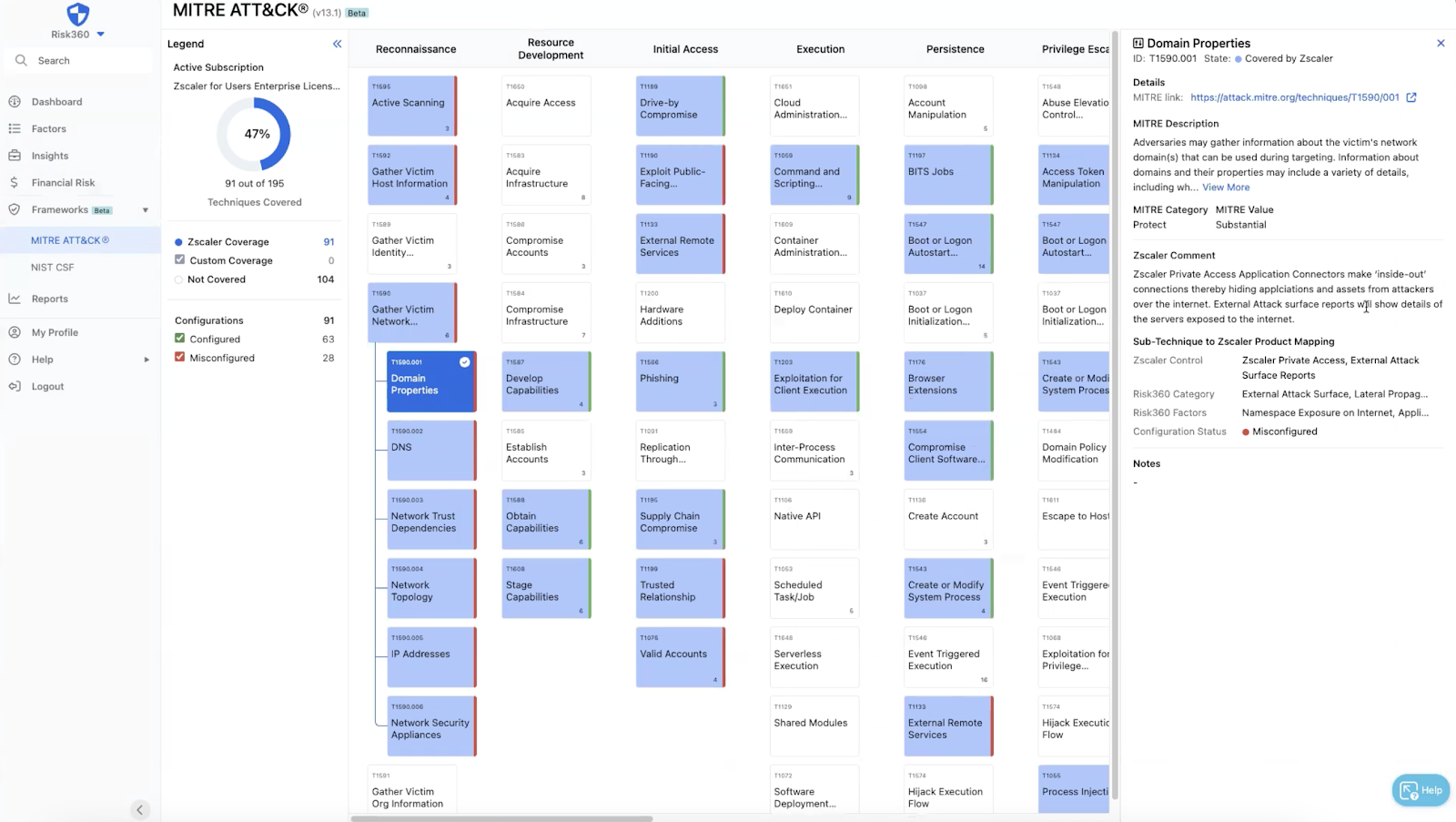
I can also use custom coverage or add notes if I know for example a certain technology I have covers something that Zscaler doesn’t. This allows me to continuously work towards being compliant in easy digestible chunks vs. a 500-page document all at once.
I want compliance to be easy for our healthcare providers because it wasn’t for me. I want to ensure that you only end up in the boardroom explaining the good things you are doing to protect your organization while offering the plan to secure the rest of the organization.


免責聲明:本部落格文章由 Zscaler 製作,僅供資訊參考,並以「現狀」提供,不保證其準確性、完整性或可靠性。Zscaler 對任何錯誤或遺漏,或基於所提供的資訊而採取的任何行動不承擔任何責任。本部落格文章中連結的任何第三方網站或資源僅為方便起見而提供,Zscaler 對其內容或做法概不負責。所有內容如有變更,恕不另行通知。存取此部落格,即表示您同意這些條款,並承認您有責任自行驗證並根據您的需求適當使用資訊。