
Introduction:
The Zscaler ThreatLabz team has observed multiple active malspam campaigns with links to malicious JavaScript payloads in the wild. These JavaScript files when opened by the end user will trigger download and execution of malware executables belonging to various Dropper and Backdoor Trojan families. We have seen over 10,000 instances of malicious JavaScript payloads from these campaigns in last two weeks. The JavaScript files are highly obfuscated to avoid detection and on first look shared similarity to Angler EK's landing page.
Two URL formats are commonly being used at this time, one with just alphanumeric characters in path and the other with string ‘.view’ in the path. The examples for these URLs are seen below,
http://yountstreetglass[.]com/TRucDEpdoO4jsaFaF4wCTxl8h/
http://unbunt[.]com/view-report-invoice-0000093/w0ru-bb26-w.view/
The javascript files have names which try to masquerade as bills and receipts of various services like DHL, UPS and Vodafone to name a few.

Figure 1: Number of hits for the JavaScript malspam over last 30 days.
We analyzed several variations of obfuscated JavaScript payloads and we will look at the details of one such payload in this report.
Infection Cycle:
The attack starts when victims receive malicious spam emails that contain links to what appear to be bills or receipts for different services, such as DHL. Once the user clicks on the link, a malicious JavaScript is downloaded and executed. Internet Explorer displays a warning requesting permission to allow execution of the ActiveX component as shown in the screenshot below:
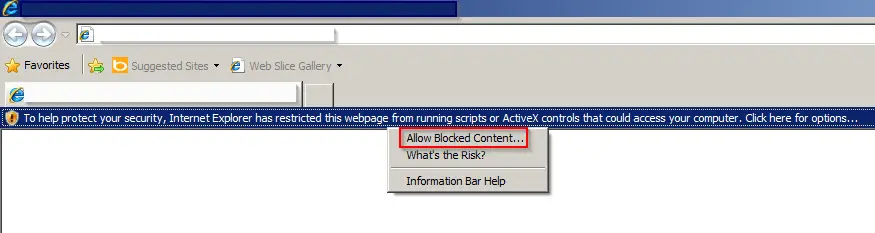
Figure 2: JavaScript execution on targeted Windows machine
Allowing execution of this ActiveX component causes the browser to download and execute the malicious payload as shown in the screenshot below:

Figure 3: Malware payload download capture
JavaScript analysis:
When we opened the JavaScript, we observed that it was heavily obfuscated with random strings and numbers assigned to variables, which makes very little sense.
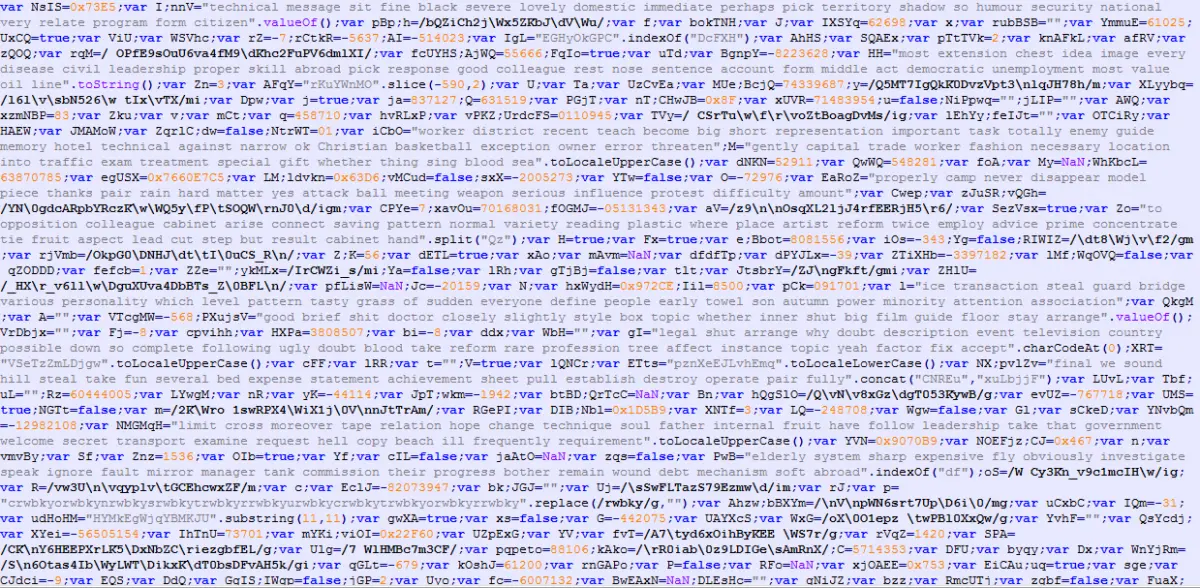
Figure 4: Obfuscated JavaScript
The JsFormatted script shows 4,000+ lines of code, which try to hide the script’s logic.
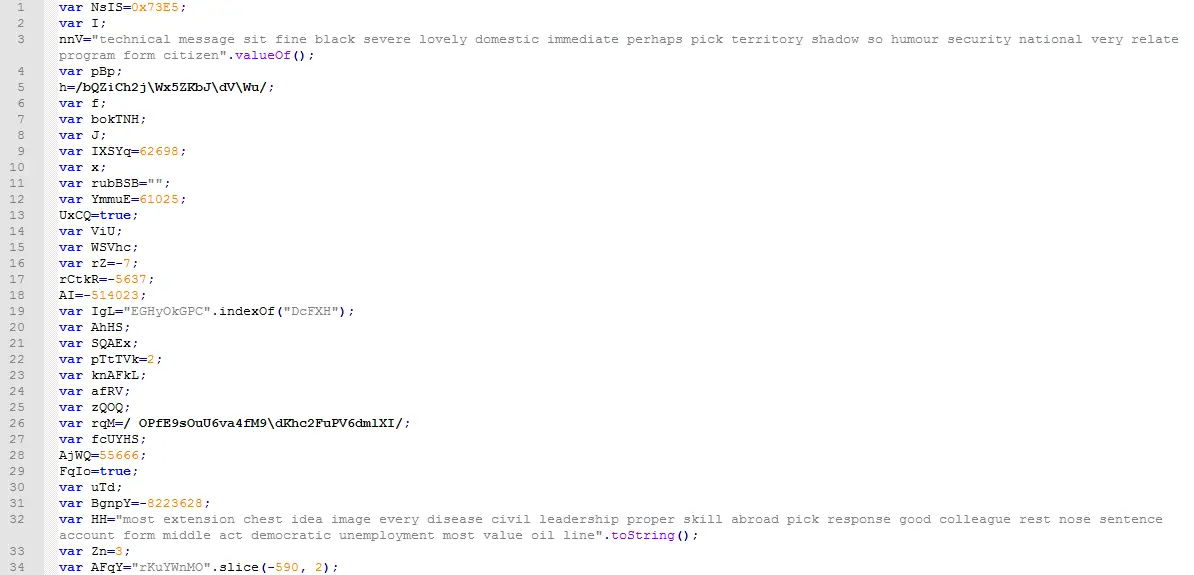
Figure 5: JsFormatted obfuscated JavaScript
A quick review of the obfuscated code revealed a line of particular interest, as shown below:
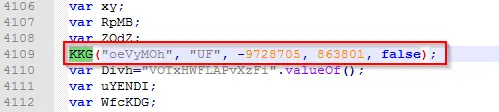
Figure 6: JavaScript code line where the deobfuscation starts.
Stepping into this function call provides us the deobfuscated code. Here, we review the important components of this script:
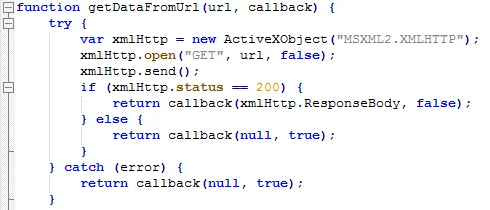
Figure 7: JavaScript function to download malware from the URL
The most important function (below) shows us the hardcoded URLs that will be used to download the malware payloads.
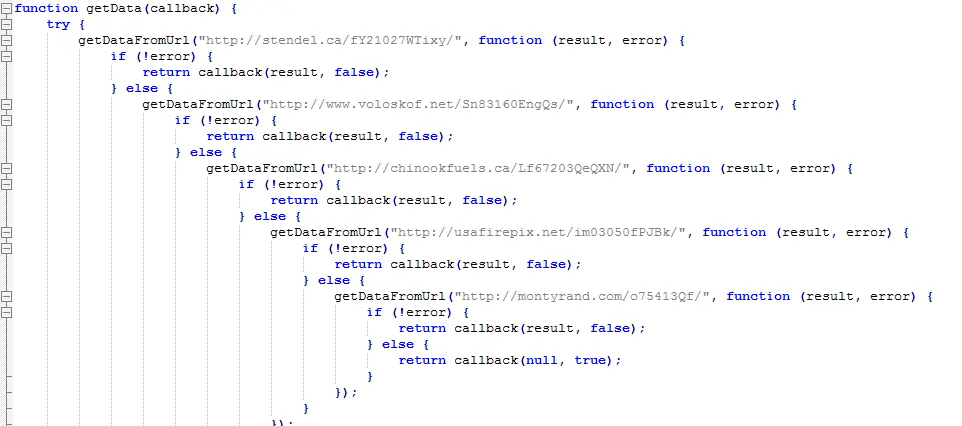
Figure 8: JavaScript function containing URLs for malware payload.
The script will continue trying different URLs from the hardcoded list, until it successfully downloads the malware executable payload from one of them.
Finally, we looked at the function that executes the payload: the function which executes the payload:
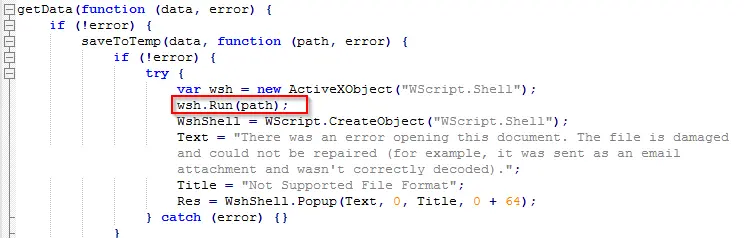
Figure 9: JavaScript function responsible for the malware payload execution.
There are also other functions in the script that create temporary file paths and that save the payload to the temporary path. The JavaScript that is downloaded does not have any browser exploit that could cause automatic execution of the ActiveX component; the user has to explicitly allow the execution to get the machine infected. This is a simple JavaScript that was interesting because of the obfuscation involved in its code and its widespread use in malspam traffic.
We observed different variants of Trojan.Win32.Kasidet and Trojan.Win32/Emotet.K payloads being downloaded by these JavaScript files. Recently, the spammed URLs started serving zipped version of the JavaScript payload instead of direct JavaScript payload. However, the infection cycle remains identical once the user extracts and runs the JavaScript file.
Conclusion:
We should always be cautious when clicking on links or handling e-mail attachments received from an unknown sender. Threat actors keep changing their obfuscation techniques in an attempt to evade detection methods used by security engines. It is increasingly important to have multiple security layers to block these kinds of attacks. Zscaler ThreatLabZ will continue to monitor these malspam campaigns involving malicious scripts to ensure that Zscaler customers are protected.