Zscaler Blog
Get the latest Zscaler blog updates in your inbox
ZPA and AI Guard in Action
In a previous blog, we discussed how AI models too often have broad, unsecured lateral access to company resources. Zscaler Private Access (ZPA) solves this problem by brokering direct, identity-verified connections to specific applications rather than the entire network. This is critical for organizations to safely deploy and run private on-premises AI infrastructure without exposing adjacent environments, which cannot be achieved with VPNs.
Want to see how it works?
Check out the below video, which details how Zscaler Private Access (ZPA) and AI Guard secure organizations as they adopt artificial intelligence and machine learning (AI/ML) technologies.
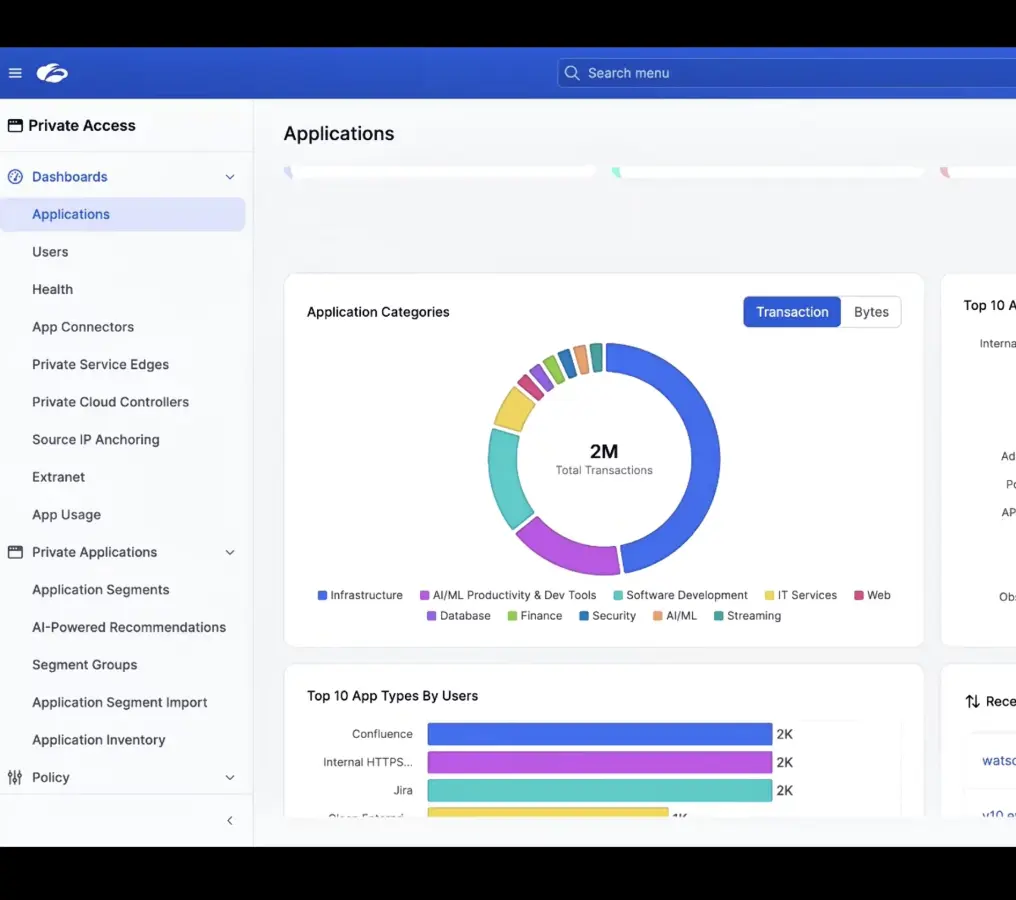
ZPA & AI Guard in Action
The video demonstrates the interaction between ZPA and AI Guard using a private LLM hosted on Amazon Bedrock:
- Segmentation: Administrators can tag sanctioned AI applications, enabling them to apply specific access policies and guardrails based on business context, user groups, and risk levels.
- Real-time Blocking: If a user attempts to input restricted data, such as PII or prohibited formats, AI Guard triggers a block.
- Diagnostics: ZPA diagnostics allow administrators to view traffic details and confirm that policies were correctly applied, while the AI Guard dashboard provides visibility into why specific transactions were blocked.
ZPA provides the necessary application-level categorization and access control, while AI Guard handles content-level security and policy enforcement to enable safe AI adoption.
This approach provides multiple benefits:
- Visibility and Classification: ZPA uses an application fingerprinting engine to identify and classify AI/ML applications without requiring deep packet inspection. This allows administrators to discover usage, segment applications, and monitor user activity.
- Access Control: By treating AI models as private application segments, organizations can use zero-trust policies to restrict access, reducing the overall attack surface.
- Content Security: Once access is granted, AI Guard inspects traffic for risks such as data leakage, PII exposure, and prompt injection.
To learn more, visit our website or request a custom demo.

Was this post useful?


Disclaimer: This blog post has been created by Zscaler for informational purposes only and is provided "as is" without any guarantees of accuracy, completeness or reliability. Zscaler assumes no responsibility for any errors or omissions or for any actions taken based on the information provided. Any third-party websites or resources linked in this blog post are provided for convenience only, and Zscaler is not responsible for their content or practices. All content is subject to change without notice. By accessing this blog, you agree to these terms and acknowledge your sole responsibility to verify and use the information as appropriate for your needs.
Explore more Zscaler blogs


Get the latest Zscaler blog updates in your inbox

By submitting the form, you are agreeing to our privacy policy.