We continue to see numerous infected sites, which are redirecting users to fake security software campaigns. The pages display animated fake security warnings to users in order to scare them and convince them to download and install a binary, which is generally packaged as fake antivirus software. The victim will be infected with a downloader Trojan that will then download additional malware. Below are a few screenshots of animations typically used in the attacks:

After this initial load animation, the user will be prompted with another security warning:

Once a user clicks on the OK button, additional animated fake security warnings will be displayed.
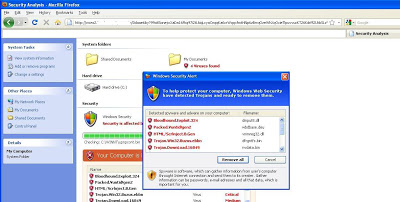
At this point, the user is prompted to download the fake antivirus software.

This same campaign has been used over and over again and can be found hosted at thousands of domains.
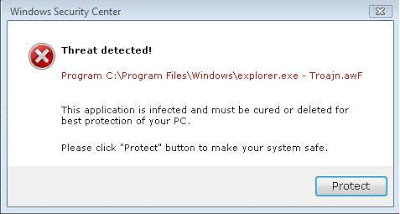
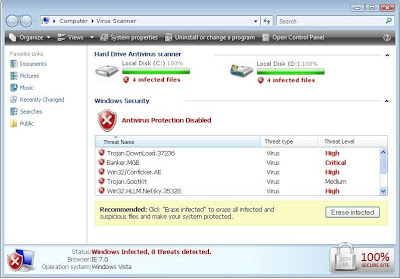
 All of the above animations are from the same malicious website. The content is randomly changed for each new visit to the site. Once installed the victim is forced to activate or buy a license key to remove these fake threats from the system. Here are some tips for users who still wants to stay away from those attacks.
1) No real Antivirus vendor displays such security warnings, animations and popups.
2) No website will scan a system when visited and display immediate warnings about threats on the system.
3) No real Antivirus vendor will force you to download an execuatble.
4) When you need AV software, go directly to the site of a reputable vendor yourself.
5) Keep an eye on address bar for the URL name and redirected URL names.
6) Keep any eye on the status bar of the browser, which is present at the bottom to spot redirection taking place.
7) If you want to download executable but are unsure that it is legitimate, it can be scaned against various antivirus vendiors by submitting it to a service such as VirusTotal If popular vendors triggers or declare the file as malicious, immedeatly delete it from the system.
8) Install a common antivirus solution and keep it updated with latest virus definitions.
9) Last but not least, never pay for such fake security software.
The VirusTotal results for the fake security software from the above example show that it was detected by only 21/42 popular AV vendors. Even now, we are still seeing a large number of fake security software websites promoting their fake products.
Stay safe
Umesh